Farrago is the ultimate soundboard for macOS, designed for podcasters, theater techs, and live performers. It offers lightning-fast playback of sound bites, effects, and music clips, streamlining audio management for any production. Fully optimized for Apple Silicon, Farrago stands out as an essential tool in macOS Media & Design, ensuring seamless performance and creative freedom.

Download
2 versions
Download Now
2.2.0 · FREE · Universal
- Size
- 42.5 MB
- Requires
- Universal
- Architecture
- Universal
- Features
- Screenshots 2
- Whats new?
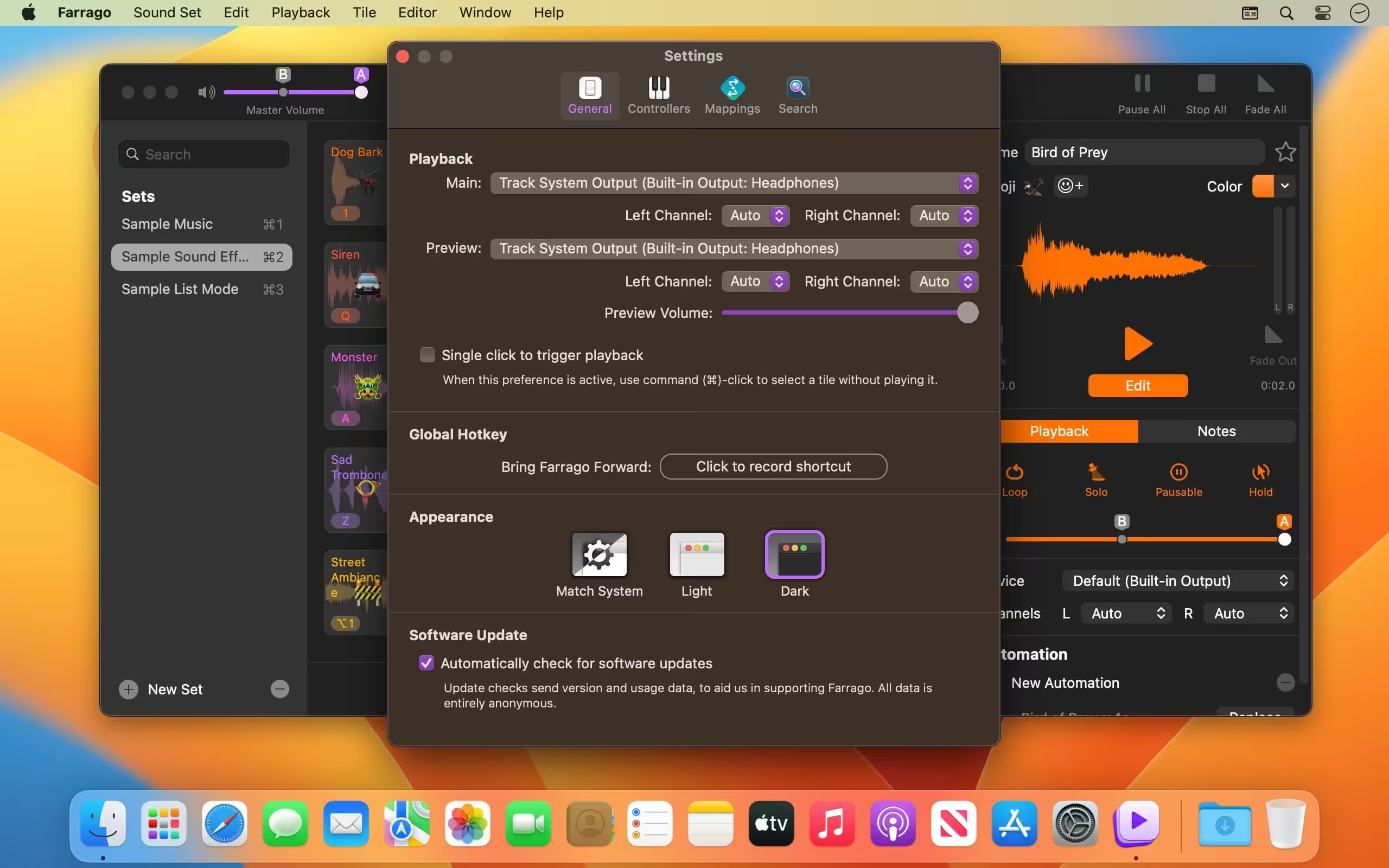
- Instant Sound Playback: Trigger sound bites, effects, and music clips instantly using customizable hotkeys for live performance.
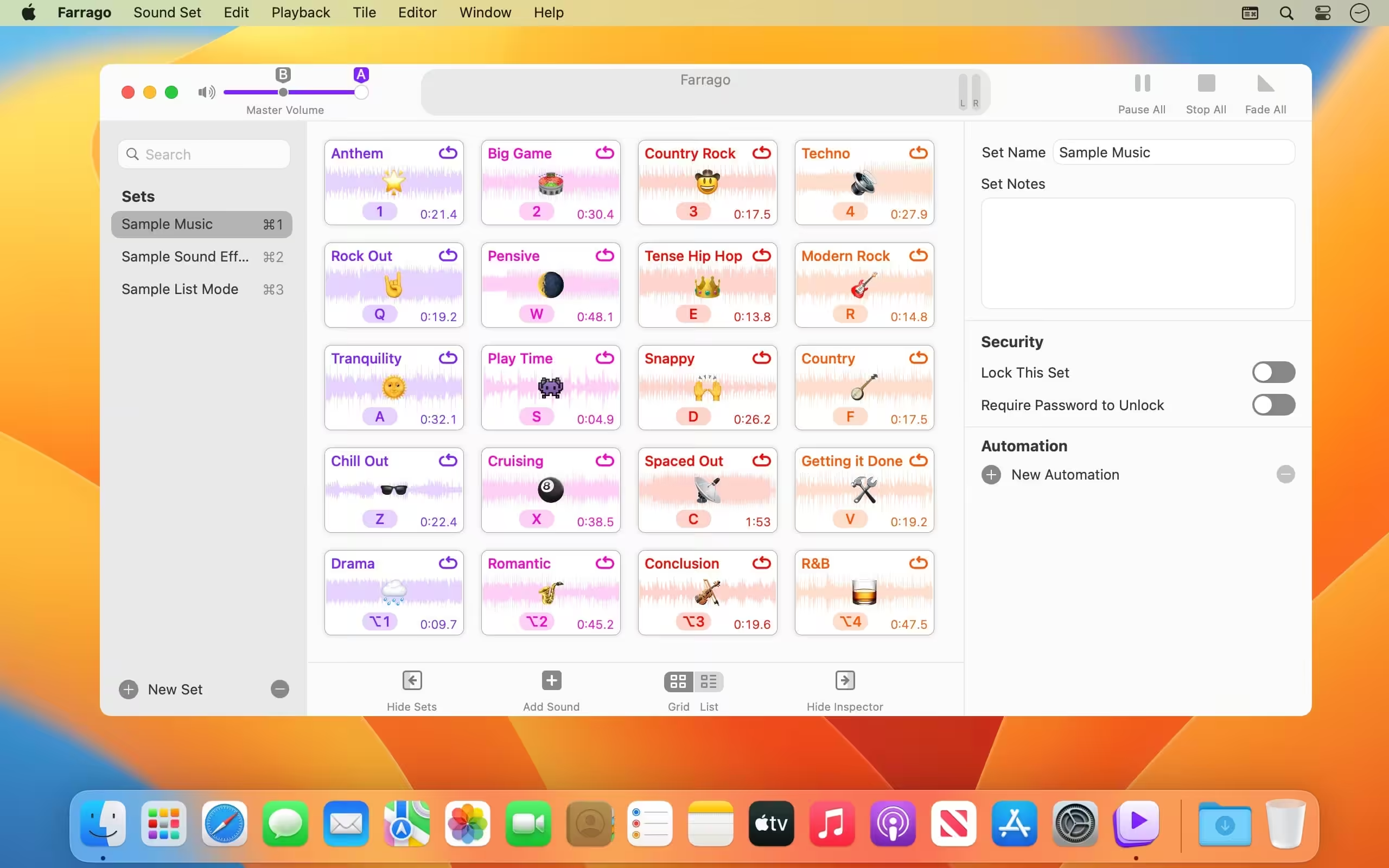
- Organized Sound Sets: Group related audio files into distinct, customizable sets, perfect for different shows or projects.
- Intuitive Interface: Effortlessly manage and access your extensive audio library with a clean, user-friendly design.
- Flexible Audio Routing: Direct audio output to specific devices, ideal for complex studio or theater setups.
- Volume & Fade Controls: Precisely adjust individual sound volumes and apply smooth fades for professional transitions.
- Global Hotkey Support: Assign system-wide shortcuts to trigger any sound, even when Farrago is running in the background.
- Optimized Performance: Experience smooth, reliable audio playback and low-latency performance, fully leveraging Apple Silicon.
What's New in Version 2.2.0
- Farrago now has full compatibility with macOS 13 (Ventura), with no known issues.
- Farrago now properly remembers the mute status of the Master Volume control across launches.
- An issue where navigating tiles with the arrow keys could result in VoiceOver not reading the selected tile has been corrected.
- Assorted improvements and refinements have been made to set importing.
- If the “Check for Test Releases” hidden preference is enabled, checks will now run regardless of the status of the “Software Update” preference/setting.
- On macOS 13 (Ventura) and up, Farrago’s “Preferences” window is now called “Settings”, to match the new macOS convention. As well, the “System” menu, found in the Options (Gear) menu, now has a renamed “Open Sound Settings” option.
- Farrago now requires macOS 10.15 (Catalina) or higher. If you’re still on 10.14 (or lower), be sure to see our Legacy Software page.
Older versions & Compatibility
Running macOS Catalina, Big Sur, Monterey, or Ventura? Download tested builds for Intel and Apple Silicon.
-
2.2.0 LatestOct 15, 2026 · 42.5 MB · Universal
-
2.1.5 ArchivedOct 15, 2026 · 42.5 MB · Universal
Verified secure servers
Official Website




No comments yet
Share whether this build worked on your Mac, on which macOS version, and your tips.