SnapMotion Unlimited is the premier macOS tool for extracting high-quality images from videos with unparalleled precision. This innovative application, fully optimized for Apple Silicon, empowers users to effortlessly capture perfect frames without any loss of quality. It's an essential solution for any macOS Media & Design workflow, ensuring every still image is flawless and ready for use.

Download
5.3.0 · FREE
Download Now
5.3.0 · FREE · Universal
All older versions
- Size
- 12.1 MB
- Requires
- Universal
- Architecture
- Universal
- Features
- Screenshots 2
- Whats new?
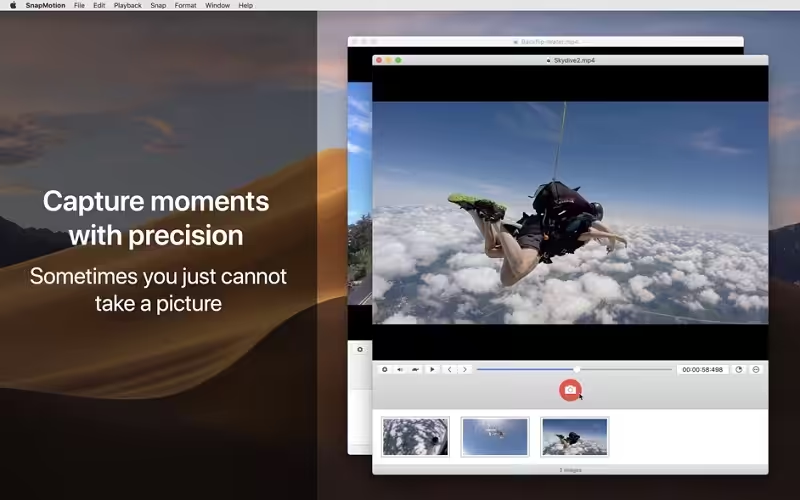
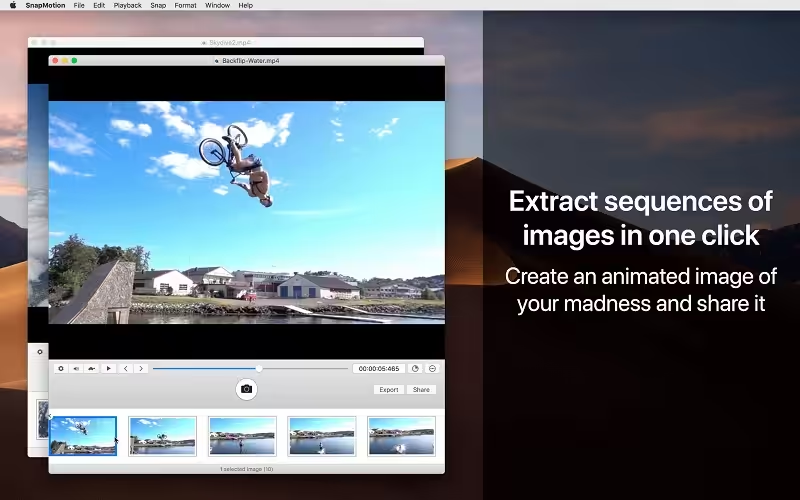
- Precise Video Frame Extraction: Extract individual frames from any video with pixel-perfect accuracy and zero quality degradation.
- Lossless Image Capture: Secure high-resolution still images from your videos, maintaining original quality without compromise.
- Intuitive Manual Mode: Utilize a dedicated manual mode to precisely select and extract frames at specific timestamps.
- Advanced Frame Selection: Pinpoint and capture exact moments from your video timeline with granular control and ease.
- Optimized for macOS: Experience seamless performance and stability, fully leveraging the power of modern macOS and Apple Silicon.
- Innovative Extraction Technology: Benefit from the most advanced and widely adopted technology for video-to-image conversion.
- Streamlined Media Workflow: Enhance your creative projects by quickly integrating extracted images into your design and editing processes.
What's New in Version 5.3.0
- Changes: We have removed YouTube support due to recent policy modifications on their end.
- Bug Fixed: Resolved compatibility issues to ensure a smoother user experience.
Older versions & Compatibility
Running macOS Catalina, Big Sur, Monterey, or Ventura? Download tested builds for Intel and Apple Silicon.
-
5.3.0 LatestOct 06, 2026 · 12.1 MB · Universal
Verified secure servers
Official Website




No comments yet
Share whether this build worked on your Mac, on which macOS version, and your tips.