Screenshots
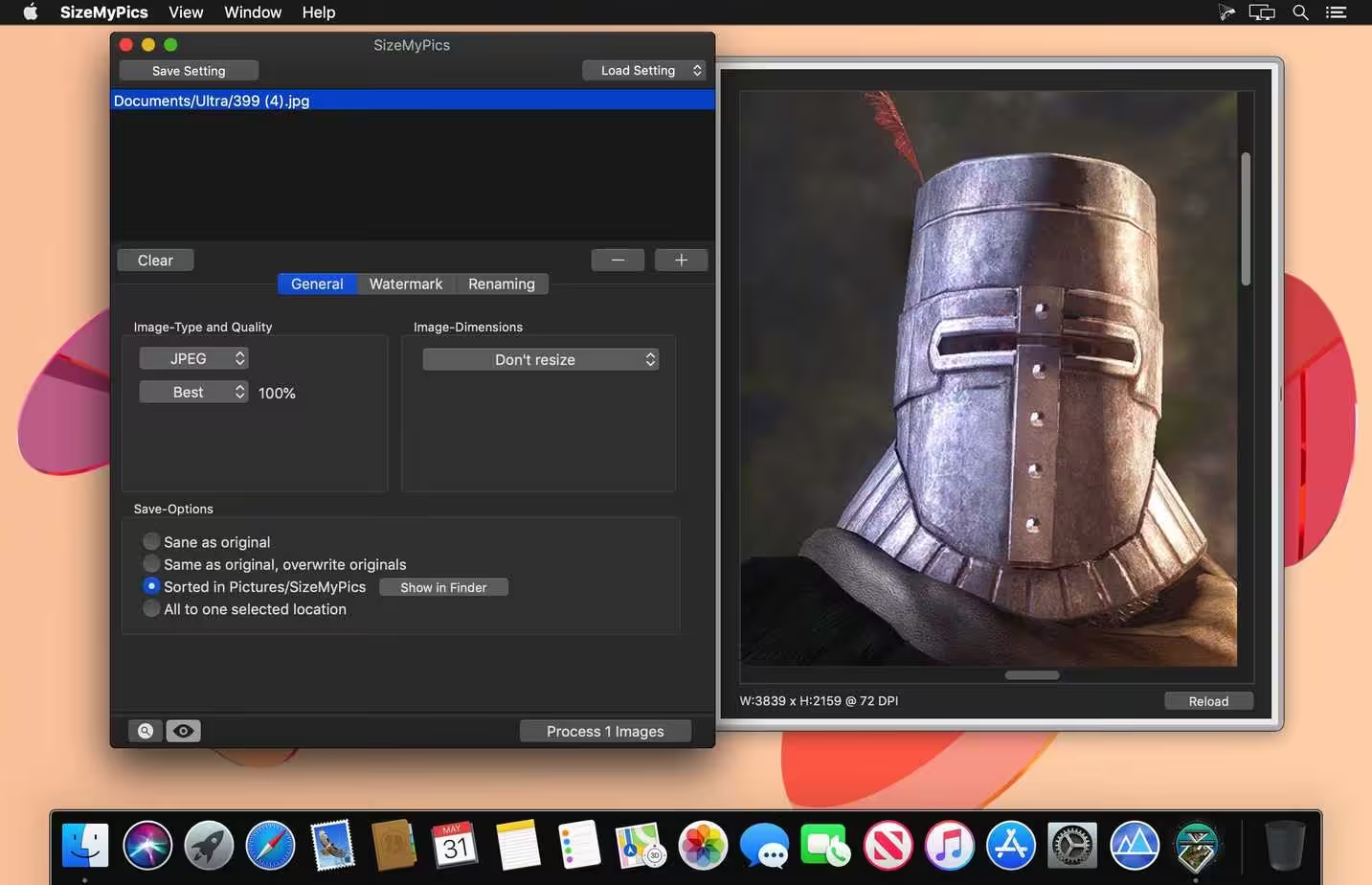
SizeMyPics can support you in converting a lot of pictures to another format and size in a convenient way. Read all about the features SizeMyPics has to offer and how it can make your work easier.
Features
- shrink to fit defined dimensions by respecting aspect ratio
- enlarge to fit defined dimensions by respecting aspect ratio
- shrink or enlarge to fit defined dimensions by respecting the aspect ratio
- shrink to exactly defined dimensions ignoring any aspect ratio
- enlarge to exactly defined dimensions ignoring any aspect ratio
- shrink or enlarge to exact defined dimensions ignoring any aspect ratio
- adjust to height respecting aspect ratio
- adjust to width respecting aspect ratio
- crop to fit the exact defined dimensions
- crop to height
- crop to width
- adjust height, crop width and pad with color if necessary
- adjust to width, crop height and pad with color if necessary
- proportional resizing to defined percent-values
- change DPI-resolution
What's New
November 9, 2026- newly added custom settings are immediately visible in the preferences
- newly added shared directories are immediately visible in the preferences
- the user interface of the preferences revised
- changes to the renaming regarding prefixes and suffixes are better recognized and shown as a hint in the general view
- corrected some labels
Recent posts
See all ›
Nevercenter CameraBag Pro
v2022 · Updated Nov 24, 2026

GraphicConverter 11.6.1 (5483)
v11.6.1.5483 · Updated Nov 24, 2026

GraphicConverter 11.6.1 (5482)
v11.6.1.5482 · Updated Nov 24, 2026

GraphicConverter 11.6.1 (5481)
v11.6.1.5481 · Updated Nov 24, 2026

Adobe After Effects 2022 v22.1.1
v2022.22.1.1 · Updated Nov 24, 2026

Noir – Dark Mode for Safari 2026.2.4
v2026.2.4 · Updated Nov 24, 2026
Version history
Oct 17, 2026 · 7.4 MB
More apps for you
See all Media & Design ›





Ratings & Reviews
(1 rating)Reportar Enlace Caído
SizeMyPics · v1.8.1
¡Reporte Enviado con Éxito!
Hemos notificado al equipo técnico. Revisaremos el enlace y lo actualizaremos a la mayor brevedad.