Polarr Photo Editor Pro
5.10.8Screenshots
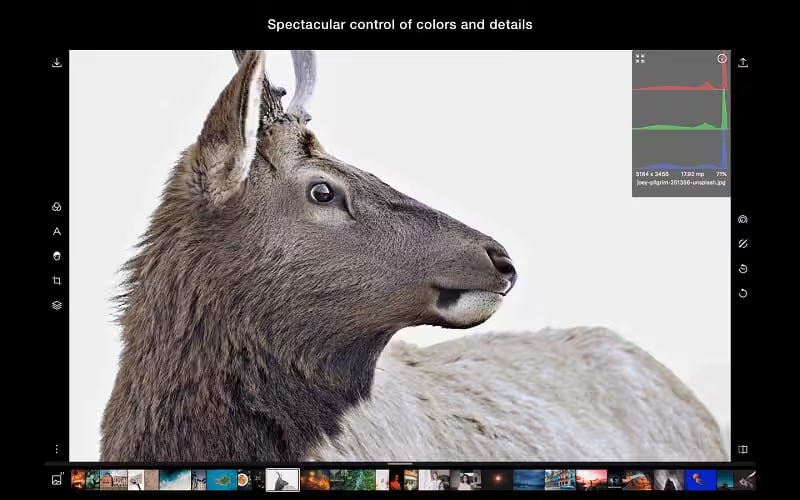
Polarr is the only photo editor you need. It doesn’t matter if you’re new to photography or a pro, Polarr has it all. Novices will appreciate that Polarr offers advanced auto-enhance tools and sophisticated filters to edit all the details of your photo. Pro photographers will look forward to our layer support, curve tools, local adjustments and so much more.
Features
- Custom overlay and complex blending modes
- Dual lens effects and depth adjustments
- Complete set of masking and local adjustment tools
- An advanced suite of face-editing tools with smart detection
- Create, customize and share your own filters
- Batch exporting
- Photos extension
- Make and share your own custom Filters
- Get started with basic filters, grow with pro filters
- Sync filters between all of your devices
- Layers and blending modes
- Superimpose photos with 10 and more blending modes
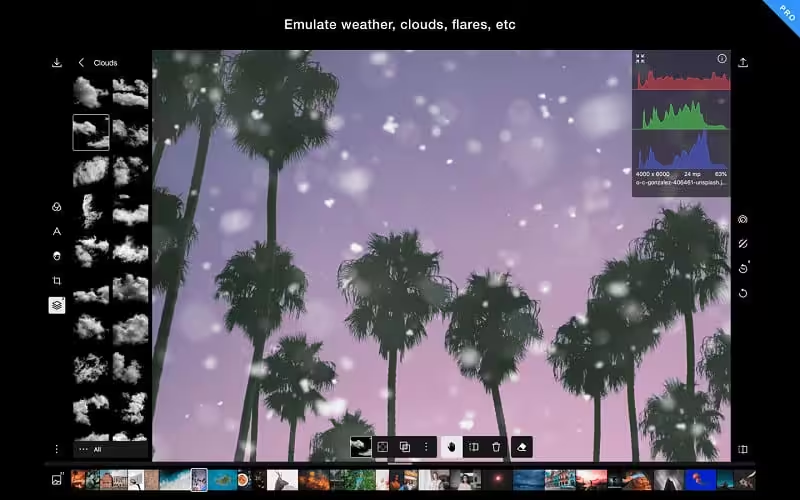
- Add photorealistic effects like clouds, weather effects, light leaks, flares, and more
- Duotone your photos with our preset or create your own unique flavor
- Depth mask: Adjust photo based on depth using the dual camera
- Brush mask: Draw your mask with an advanced edge-aware brush
- Color mask: Selective adjustment with color
- Radial mask: Circular adjustment over your photo
- Gradient mask: Adjusting the photo over a gradient
- Luminance mask: Selective adjustment based on brightness.
- Additional local tools: Lens blur, feathering, invert, and more
- Blend any local adjustment mask with an overlay
- Unlimited stacking of local adjustments.
- Intelligent auto-enhance for exposure and white balance
- Color: Temperature, Tint, Vibrance, Saturation
- Light: Dehaze, Exposure, Brightness, Contrast, Highlights, Shadows, Whites, Blacks, Diffuse
- Detail: Clarity, Sharpen, Denoise (Color and Luminance)
- Vignette: Amount, Highlights, Roundness
- Lens: 8-point perspective distortion tool, horizontal, and vertical perspective
- Effect: Custom fringing, Pixelate, Noise amount, and size
- HSL: Hue, Saturation, Luminance for eight color channels
- Curves: Master, blue, red, green channels
- Toning: Highlight and shadow tone, Tone balancing
- Denoise: Focus, enhancement, and clarity
- LUT: Import and export 3D Lut
- Border tool: add a border that auto-suggests colors based on the content of your photo
- Select from dark or white color themes or create and share your own
- Two workspaces available: Pro and Express
- Rearrange icons to make the app yours
This version is for Mac OS only and requires a one-time payment when you purchase the app. However, you can purchase a Polarr Pro subscription in the free version of Polarr Photo Editor to access all platforms. Cross-platform access is only granted under subscription plans.
What's New
October 24, 2026- Nothing new here! Just bug fixes and miscellaneous little improvements here and there.
- Email us, at [email protected], if you find any new bugs or need help with anything!
Recent posts
See all ›
Nevercenter CameraBag Pro
v2022 · Updated Nov 24, 2026

GraphicConverter 11.6.1 (5483)
v11.6.1.5483 · Updated Nov 24, 2026

GraphicConverter 11.6.1 (5482)
v11.6.1.5482 · Updated Nov 24, 2026

GraphicConverter 11.6.1 (5481)
v11.6.1.5481 · Updated Nov 24, 2026

Adobe After Effects 2022 v22.1.1
v2022.22.1.1 · Updated Nov 24, 2026

Noir – Dark Mode for Safari 2026.2.4
v2026.2.4 · Updated Nov 24, 2026
Version history
Oct 24, 2026 · 41.9 MB
More apps for you
See all Media & Design ›



Ratings & Reviews
(1 rating)Reportar Enlace Caído
Polarr Photo Editor Pro · v5.10.8
¡Reporte Enviado con Éxito!
Hemos notificado al equipo técnico. Revisaremos el enlace y lo actualizaremos a la mayor brevedad.