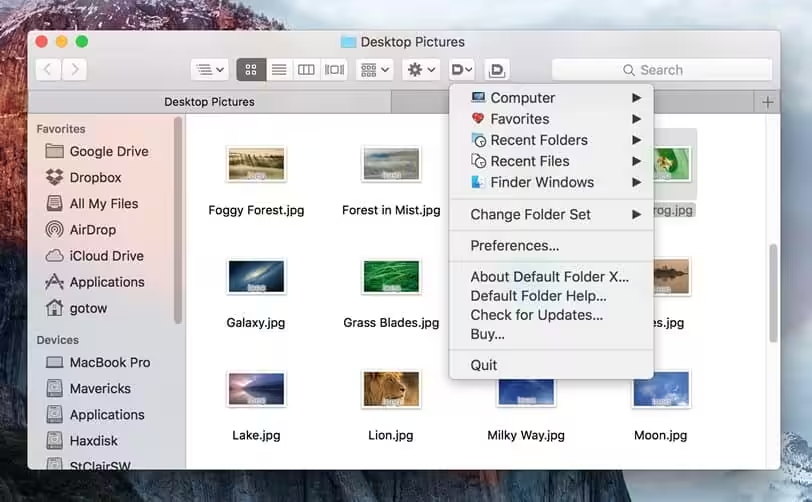
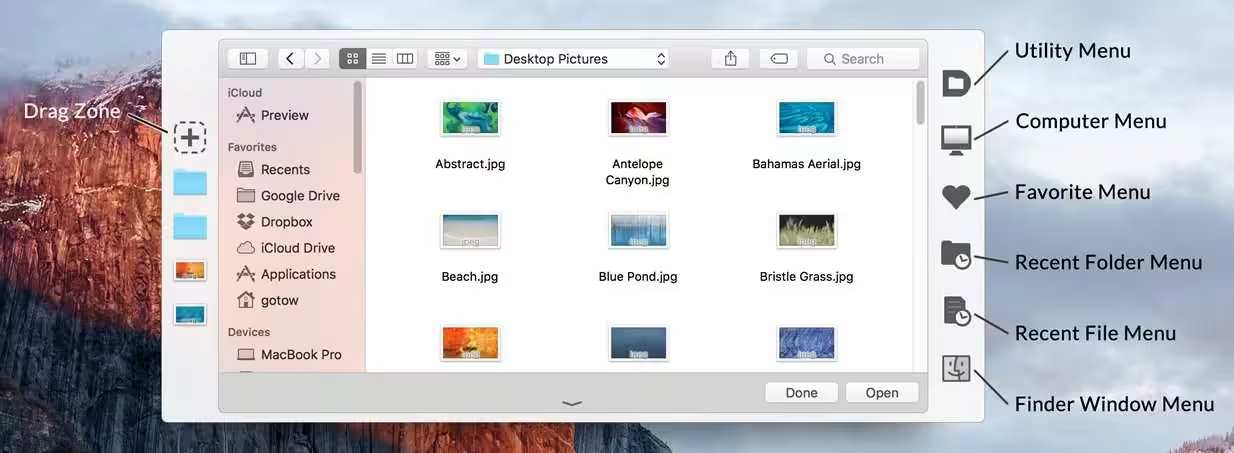
Default Folder X revolutionizes macOS Open and Save dialogs, attaching a powerful toolbar for instant access to favorite and recent folders. This essential utility streamlines file management, making navigation effortless. Optimized for modern macOS, it stands out as a top-tier tool in macOS System Utilities, enhancing productivity for every Mac user.

Download
4 versions
Download Now
6.3.2 · FREE · Universal
- Size
- 31.9 MB
- Requires
- Universal
- Architecture
- Universal
- Features
- Screenshots 2
- Whats new?
- Dialog Toolbar Integration: Seamlessly integrates a powerful, customizable toolbar directly into macOS Open and Save dialogs.
- Instant Folder Access: Quickly navigate to favorite, recent, and default folders with a single click, boosting productivity.
- In-Dialog File Management: Perform essential file operations like renaming, deleting, or moving files directly within dialogs.
- Enhanced Folder Navigation: Easily browse complex folder hierarchies and access mounted volumes or desktop contents from any app.
- Recent Items Memory: Remembers recently used files and folders, providing instant access to your most active projects.
- Deep Customization Options: Personalize toolbar buttons, shortcuts, and application-specific settings for tailored workflows.
- Finder Interaction: Access Finder's contextual menus, get file information, or open items directly from dialogs.
What's New in Version 6.3.2
- Fixed a bug that could cause folder switching to fail in Open and Save dialogs. This could result in the mouse cursor disappearing or the file dialog hanging until you clicked on it.
- Corrected two issues that could leave Default Folder X’s toolbar displayed even when a
- QuickLook window popped up in front of an Open or Save dialog.
- Improved error handling when Default Folder X is unable to select the last selected file in an Open dialog.
- Fixed a problem with Open and Save dialogs hanging when using the macOS Accessibility Zoom feature.
- Improved the wording in the “Launch Default Folder X automatically when you log in?” dialog.
- Fixed the text alignment in the menu configuration sheet.
- Added a setting so you can use the left and right arrow keys to edit text in the Quick
- Search window. To move into and out of folders in the search results, use the Tab and
- Shift+Tab keys instead. Use this command in Terminal to enable the setting:
defaults write com.stclairsoft.DefaultFolderX5 quickSearchTraversesWithTabKey -bool YES
Older versions & Compatibility
Running macOS Catalina, Big Sur, Monterey, or Ventura? Download tested builds for Intel and Apple Silicon.
-
6.3.2 LatestOct 11, 2026 · 31.9 MB · Universal
-
6.3.1 ArchivedOct 11, 2026 · 31.9 MB · Universal
-
6.3.0 ArchivedOct 11, 2026 · 31.9 MB · Universal
-
6.2.8 ArchivedOct 11, 2026 · 31.9 MB · Universal
Verified secure servers
Official Website





No comments yet
Share whether this build worked on your Mac, on which macOS version, and your tips.