
Screenshots
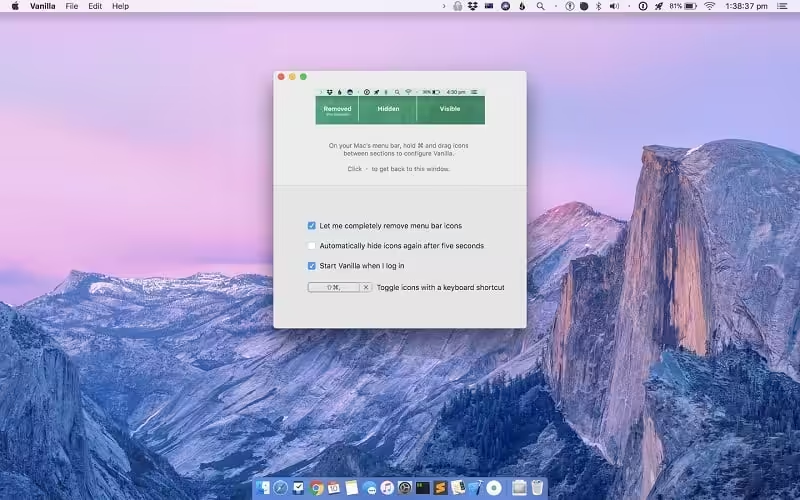
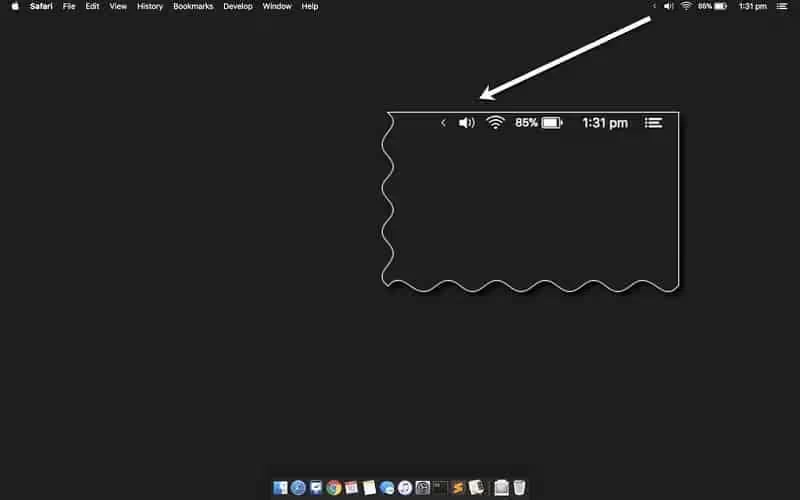
Vanilla Pro lets you hide the icons in your menu bar. Some of the most popular apps, like Google Drive or the Adobe Creative Cloud, load up your menu bar with icons. With Vanilla Pro Torrent, you can create a beautiful, minimalist Mac setup. But maybe you don’t want to bother with deleting those apps or trying to find a setting to turn off those icons.
Features
- Perfect your menu bar by completely hiding icons
- Hide any app icon from your Mac’s menu bar
- Compatible with light and dark menu bars
- Automatically hide icons again after five seconds
- Start automatically when you log in
- Toggle icons with a keyboard shortcut
(Seriously, I use this with Command-Shift-< like forty times a day. Get Pro just for this.)
What's New
October 21, 2026- This version of Vanilla Pro changes how we publish and deliver updates, as well as introducing new licensing and security methods. (It’s now self-hosted – no more third parties!)
- Fix the “start at login” preference for Mojave compatibility
- Vanilla Pro now handles dynamic switching of light and dark mode, and also handles when you change the accessibility settings for reduced transparency
- Improve handling for a sporadic crash that occurs when changing the desktop background
Recent posts
See all ›
Compress Any Video PRO
v2.1 · Updated Nov 24, 2026

GraphicConverter 11.6.1 (5487)
v11.6.1.5487 · Updated Nov 24, 2026

Adobe Acrobat DC Pro 2022.001.20112
v2022.001.20112 · Updated Nov 24, 2026

Maxon Cinema 4D R26.
v013 · Updated Nov 24, 2026

Luminar Neo 1.0.5 (11374)
v1.0.5.11374 · Updated Nov 24, 2026

Sip 4.0.0
Updated Nov 24, 2026
Version history
Oct 21, 2026 · 10.8 MB
More apps for you
See all System Utilities ›





Ratings & Reviews
(1 rating)Reportar Enlace Caído
Vanilla Pro · v1.2.2
¡Reporte Enviado con Éxito!
Hemos notificado al equipo técnico. Revisaremos el enlace y lo actualizaremos a la mayor brevedad.