USBclean stands out as an essential tool in macOS System Utilities, expertly designed to purge problematic junk and ghost files like .DS_Store and Thumbs.db from your external Windows-formatted USB drives. This powerful application reclaims valuable storage space and prevents device compatibility issues. Optimized for Apple Silicon, USBclean ensures your drives remain clean and efficient with minimal effort.
Download
2 versions
Download Now
4.6.0 · FREE · Universal
All older versions
- Size
- 5.0 MB
- Requires
- Universal
- Architecture
- Universal
- Features
- Screenshots 3
- Whats new?
- Remove Junk & Ghost Files: Efficiently eliminates problematic files such as .DS_Store and Thumbs.db, reclaiming valuable space on your USB drives.
- Optimize Windows USB Drives: Specifically designed to clean Windows-formatted external USB drives, ensuring optimal performance and compatibility across devices.
- Quick & Effortless Cleaning: Experience rapid and straightforward file removal, making it incredibly easy to maintain clean and efficient external storage devices.
- Fully Customizable Settings: Tailor USBclean's behavior to your specific needs, configuring which file types are removed for personalized drive management.
- Intuitive Drop Zone: Simply drag and drop your USB drive into the dedicated drop zone for instant, hassle-free cleaning of unwanted files.
- Convenient Menubar Control: Access cleaning functions directly from your system menubar, providing quick and discreet management of your external drives.
- Dock Icon Cleaning: Drop drives onto the USBclean dock icon for an alternative, swift method to initiate the file removal process.
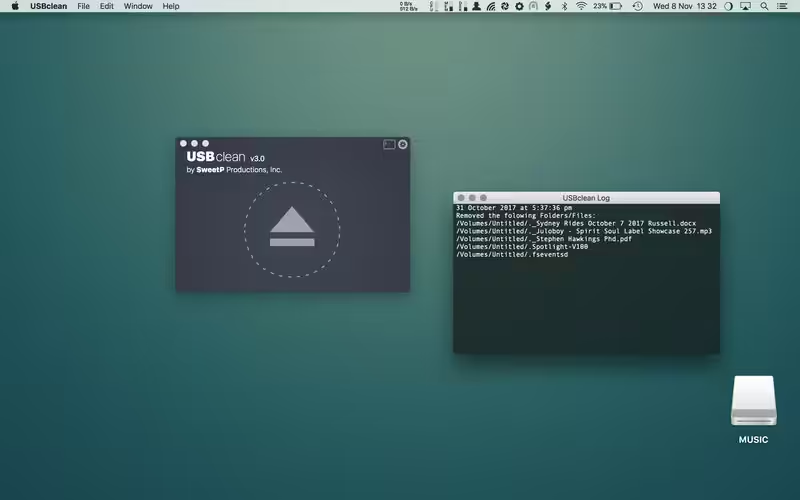
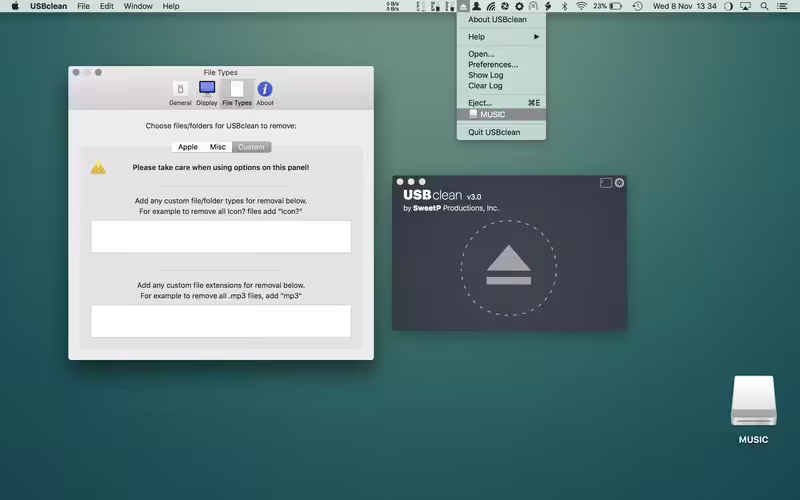
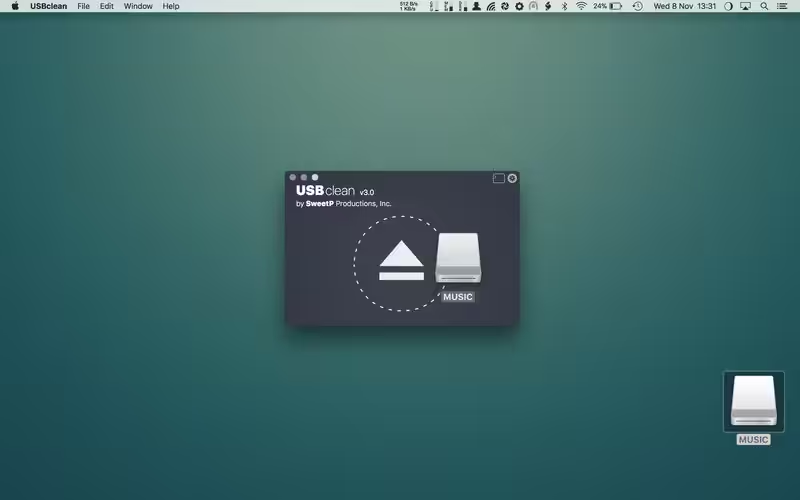
What's New in Version 4.6.0
- Added an option to preserve custom folder & file types
Older versions & Compatibility
Running macOS Catalina, Big Sur, Monterey, or Ventura? Download tested builds for Intel and Apple Silicon.
-
4.6.0 LatestOct 08, 2026 · 5.0 MB · Universal
-
4.5.2 ArchivedOct 08, 2026 · 5.0 MB · Universal
Verified secure servers
Official Website



No comments yet
Share whether this build worked on your Mac, on which macOS version, and your tips.