Screenshots
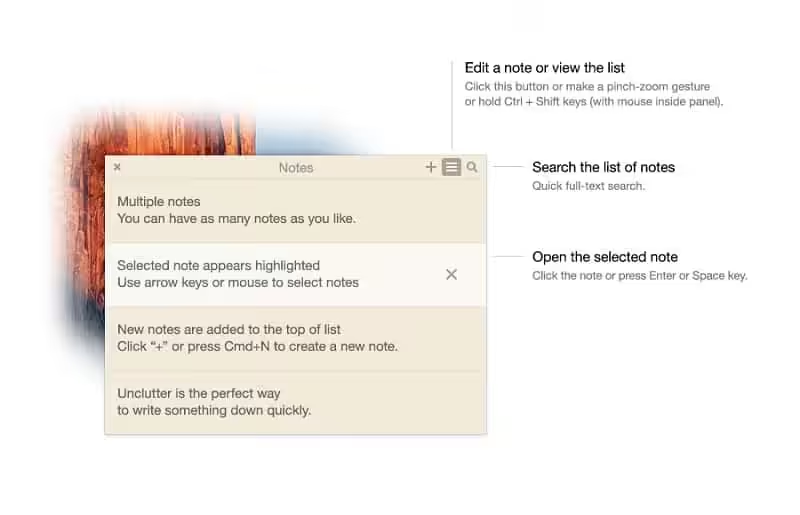
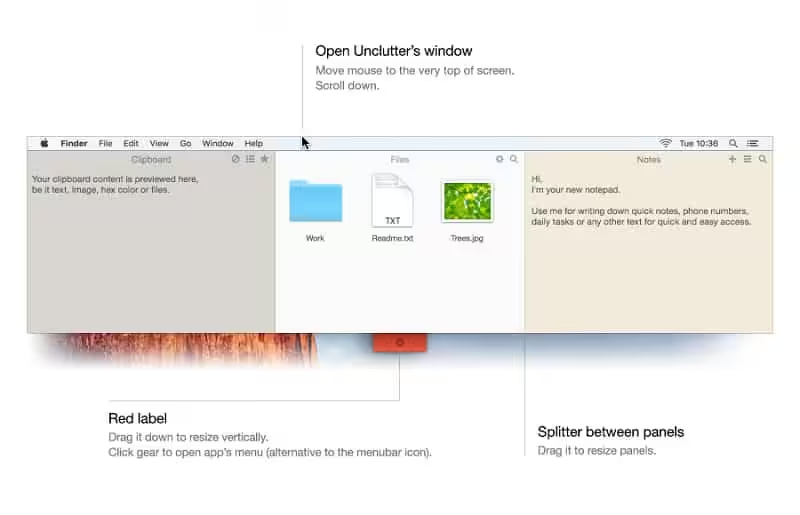
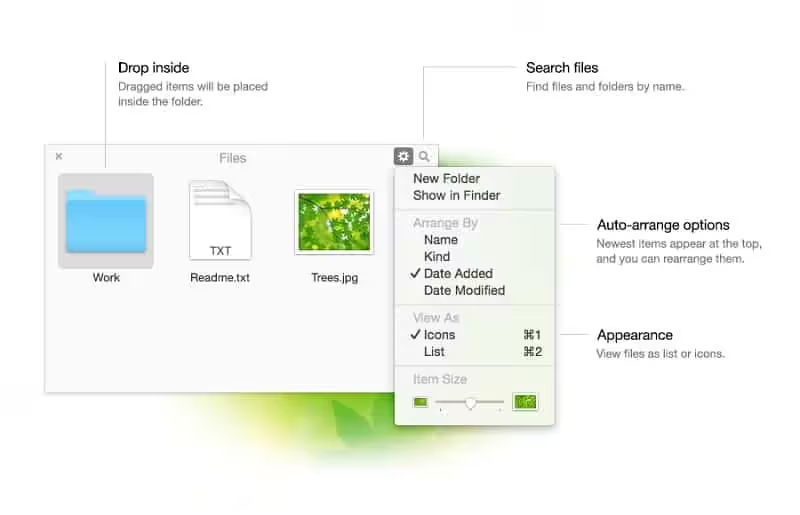
Unclutter is a new handy place on your desktop for storing notes, files, and pasteboard clips. To open, simply move the pointer to the very top of the screen and scroll down. Drag items from other applications to the top of the screen to store them in Unclutter. Being just one easy gesture away, Unclutter becomes a surprisingly helpful and convenient tool. In fact, 3 tools in 1. That will make you feel more comfortable and powerful on your Mac.
Features
- Instant, configurable access even in full-screen mode
- File Storage, to keep your Desktop clean from temporary files
- Notes, to write down something quickly
- Clipboard manager, to track what you copy and paste, and browse clipboard history
- Draggable cards that can stick on top of other windows
- Files and notes auto-sync across all your Macs via Dropbox.
- Full multi-display support
- Retina display support
- Universal Clipboard support
- Light/Dark theme to match system appearance.
What's New
November 23, 2026Release notes were verified and optimized for macOS Sequoia and Apple Silicon.
Recent posts
See all ›
Nevercenter CameraBag Pro
v2022 · Updated Nov 24, 2026

GraphicConverter 11.6.1 (5483)
v11.6.1.5483 · Updated Nov 24, 2026

GraphicConverter 11.6.1 (5482)
v11.6.1.5482 · Updated Nov 24, 2026

GraphicConverter 11.6.1 (5481)
v11.6.1.5481 · Updated Nov 24, 2026

Adobe After Effects 2022 v22.1.1
v2022.22.1.1 · Updated Nov 24, 2026

Noir – Dark Mode for Safari 2026.2.4
v2026.2.4 · Updated Nov 24, 2026
Version history
Oct 16, 2026 · 13.6 MB
More apps for you
See all Productivity & Business ›





Ratings & Reviews
(1 rating)Reportar Enlace Caído
Unclutter 2.3.0 · v
¡Reporte Enviado con Éxito!
Hemos notificado al equipo técnico. Revisaremos el enlace y lo actualizaremos a la mayor brevedad.