Screenshots
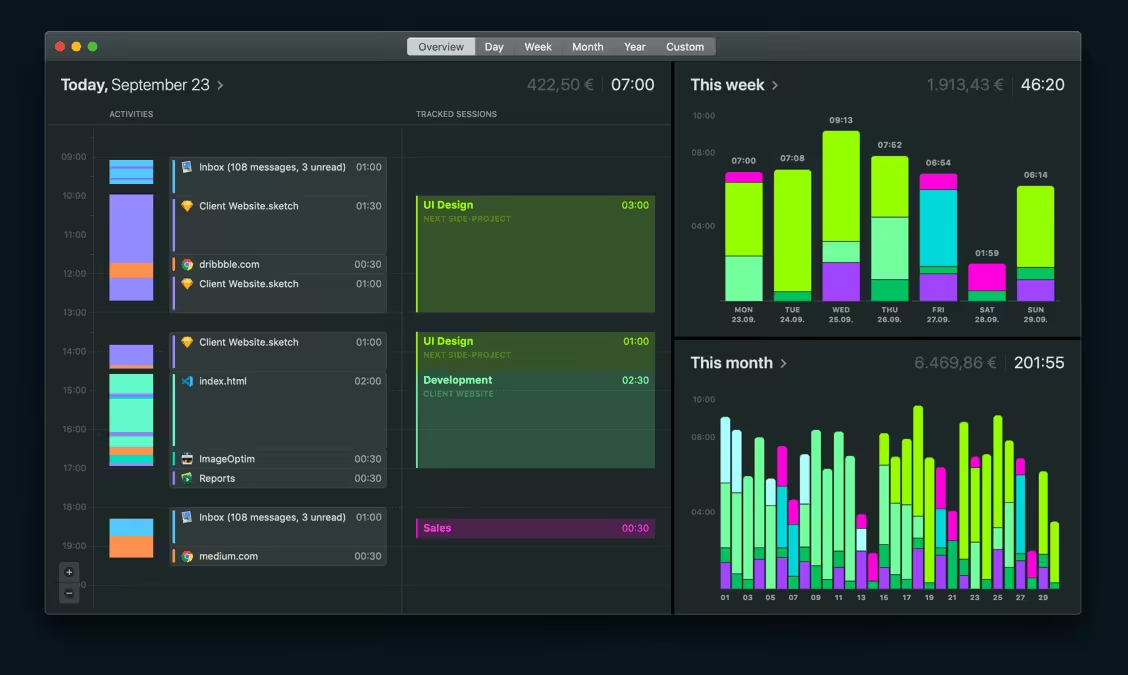
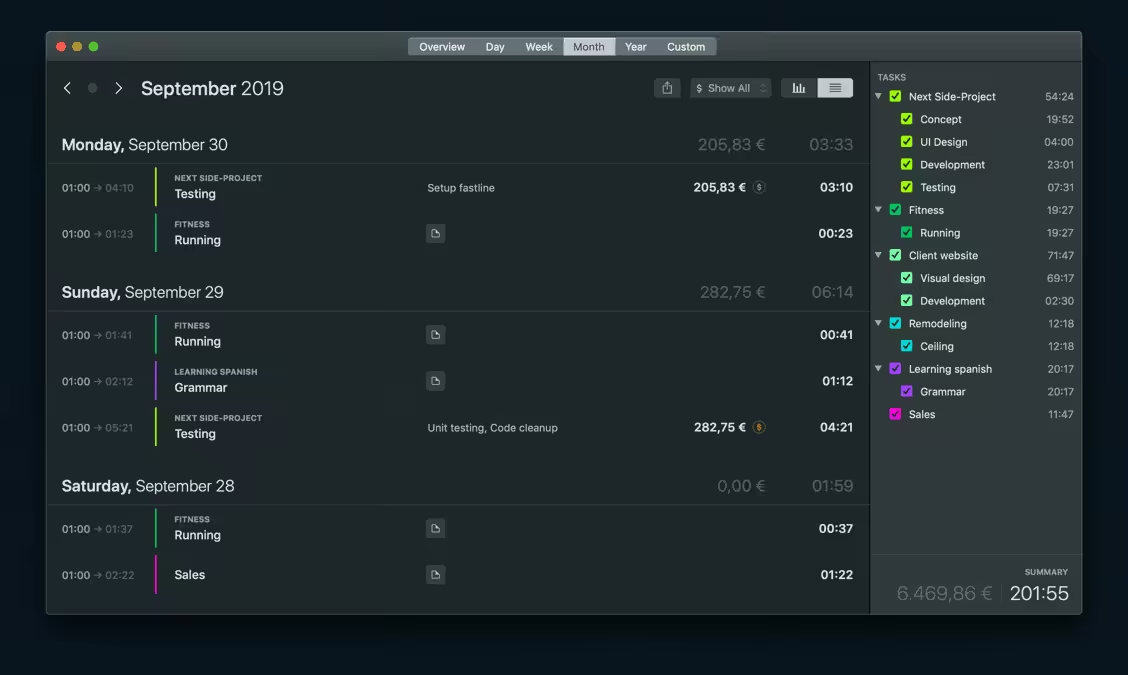
Automate your time-tracking based on your activities on the Mac. Timemator lets you fully automate your time-tracking based on your activities on the Mac. Just tell Timemator what files, applications, or websites you use for your work, and it will start the timer for you. Automatically!
Features
It might be one project you want to track or dozens. Timemator brings everything into one activity timeline — without you lifting a finger. Whenever you need to see where your time goes, just check the timeline. And with just a few mouse clicks you can assign this time to your projects.
Define your rulesTell Timemator what programs and files you intend to use within a project and the app will set up the tracking. You can also click on any entry on your activity timeline and create auto-tracking rules for it. The timer will start and stop whenever needed. All by itself.
Serving everyone’s needsTimemator understands what kinds of tasks you embrace. If you’re a designer, it will know when you design in Sketch, research a project, or have a meeting. The same works with development tools and tons of other Mac programs — Timemator recognizes your tasks to ensure accurate tracking.
Traditional timer coveredIf you don’t want the tracking to work on its own, Timemator enables you to take control of your own hands. Use the traditional start/stop buttons on the timer anytime. You can also edit the entries and set up new timing sessions flexibly.
Detailed reportsSee how you manage your time in Timemator’s detailed reports. The app stores data about your time-tracking sessions to showcase the progress over time, as well as has a daily view outlining recent activities. You can even add your hourly rate for every specific project, and Timemator will track how much you earn.
What's New
November 5, 2026- New option to sort tasks by name in the task list.
- Updated app UI for macOS Big Sur.
- Improved UI in the task list, made it cleaner and more simple.
- We have finally tracked and fixed the bug there sometimes input elements in the Report window became deactivated and no sessions/tasks could be edited.
- Fixed an issue with missing “No data” view in the Session list if no sessions were tracked.
Recent posts
See all ›
Nevercenter CameraBag Pro
v2022 · Updated Nov 24, 2026

GraphicConverter 11.6.1 (5483)
v11.6.1.5483 · Updated Nov 24, 2026

GraphicConverter 11.6.1 (5482)
v11.6.1.5482 · Updated Nov 24, 2026

GraphicConverter 11.6.1 (5481)
v11.6.1.5481 · Updated Nov 24, 2026

Adobe After Effects 2022 v22.1.1
v2022.22.1.1 · Updated Nov 24, 2026

Noir – Dark Mode for Safari 2026.2.4
v2026.2.4 · Updated Nov 24, 2026
Version history
Oct 16, 2026 · 29.4 MB
More apps for you
See all Productivity & Business ›





Ratings & Reviews
(1 rating)Reportar Enlace Caído
Timemator · v3.2.2
¡Reporte Enviado con Éxito!
Hemos notificado al equipo técnico. Revisaremos el enlace y lo actualizaremos a la mayor brevedad.