
Screenshots
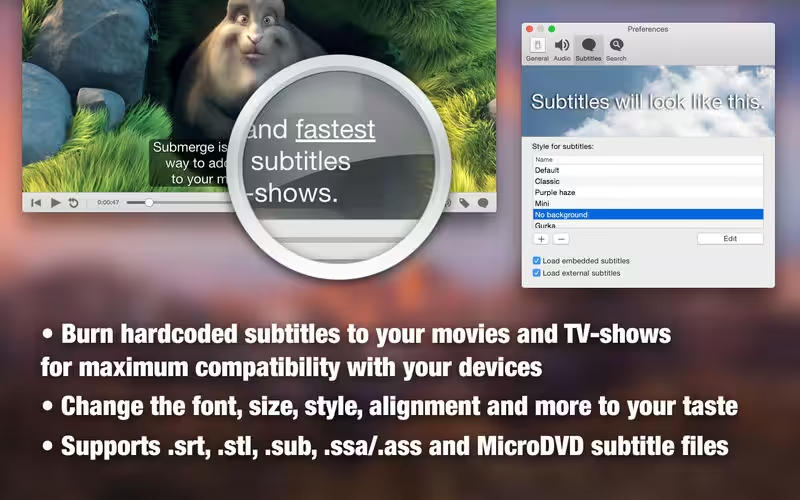
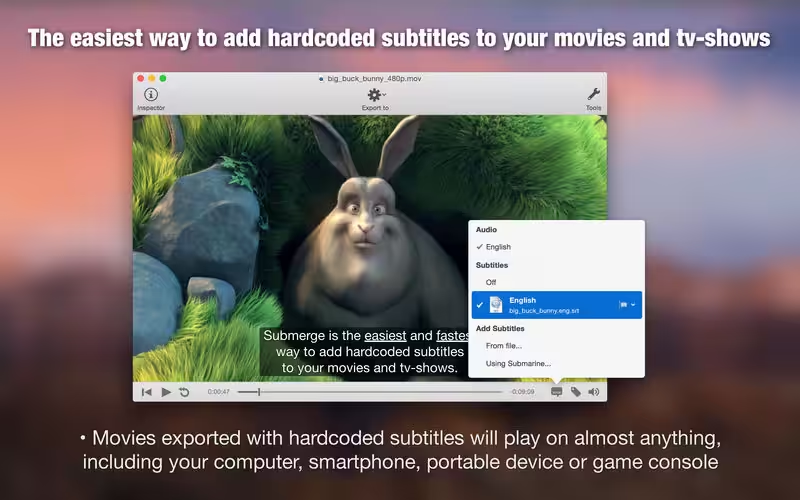
Submerge is the easiest way to add hardcoded subtitles to your movies and TV shows. The subtitled movie will play on almost anything, like your computer, smartphone, portable device, or game console. Submerge supports many text-based subtitle formats as input, and you can export the subtitled movie for the most common devices in just one click.
Features
- Add hardcoded subtitles to almost any video file without the need for extra system extensions or plug-ins.
- Automatically loads and displays embedded subtitles or subtitles from external files.
- Support for many subtitle formats like srt, sub, itt, stl ass/ssa and vtt.
- Supports styling tags in subtitle files like italic, bold underlined and font color.
- Supports cue settings in WebVTT files to handle the position and alignment of the subtitles.
- Fully customizable subtitle display (font, size, color, shadows, etc).
- Automatically finds metadata online to tag your movie.
- Detailed movie inspector for all those nitty gritty details.
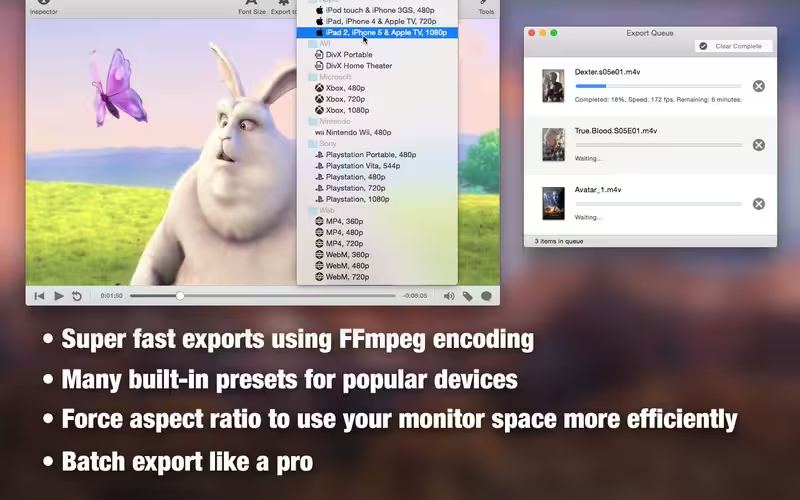
- Many export presets built-in for poplar devices.
- Batch export queue built right in.
- FFmpeg encoding for fastest possible exports.
- Force aspect ratio to 16:9, 4:3 or 3:2 to use your monitor space more efficiently.
- Fullscreen player built-in (of course).
- Playback with hardware decoding on the GPU for H.264 and H.265 (HEVC) video tracks.
- Support for macOS Catalina and Big Sur.
- 64-bit native.
NOTE! Submerge cannot add hardcoded subtitles to movies or tv-shows purchased or rented in the iTunes store due to DRM protection.
What’s new in Submerge 3- Re-written from the ground up using modern OS X technologies.
- Doesn’t depend on QuickTime.
- No need for extra system extensions or plug-ins to open and add subtitles to your movies.
- 64-bit native.
- Batch export queue.
- Improved the built-in subtitle search engine. Really easy to use.
- Metadata tagging for the TV-app and iDevices. Artwork as well.
- Support for more than two subtitles lines and smarter wrapping.
- Optional “Title Safe Area” for old TV sets and professionals.
What's New
October 21, 2026- Playback with hardware decoding on the GPU for H.264 and H.265 (HEVC) video tracks.
- Playback with hardware decoding also works for containers like .MKV (Matroska)
- Playback with hardware decoding saves battery life and CPU cycles.
- Easily plays 4K video when hardware decoding is available.
- Time offset for subtitles now works again.
Recent posts
See all ›
Compress Any Video PRO
v2.1 · Updated Nov 24, 2026

GraphicConverter 11.6.1 (5487)
v11.6.1.5487 · Updated Nov 24, 2026

Adobe Acrobat DC Pro 2022.001.20112
v2022.001.20112 · Updated Nov 24, 2026

Maxon Cinema 4D R26.
v013 · Updated Nov 24, 2026

Luminar Neo 1.0.5 (11374)
v1.0.5.11374 · Updated Nov 24, 2026

Sip 4.0.0
Updated Nov 24, 2026
Version history
Oct 21, 2026 · 53.8 MB
More apps for you
See all Application ›





Ratings & Reviews
(1 rating)Reportar Enlace Caído
Submerge · v3.9.1
¡Reporte Enviado con Éxito!
Hemos notificado al equipo técnico. Revisaremos el enlace y lo actualizaremos a la mayor brevedad.