Snap windows faster in this featureful Rectangle Pro superset. Toss windows in the right places with cursor movement, move multiple windows with one command, create custom shortcuts, and more.

Download
3 versions
Download Now
3.92 · FREE · Universal
All older versions
- Size
- 10.5 MB
- Requires
- Universal
- Architecture
- Universal
- Features
- Screenshots 3
- Whats new?
One simple key combo
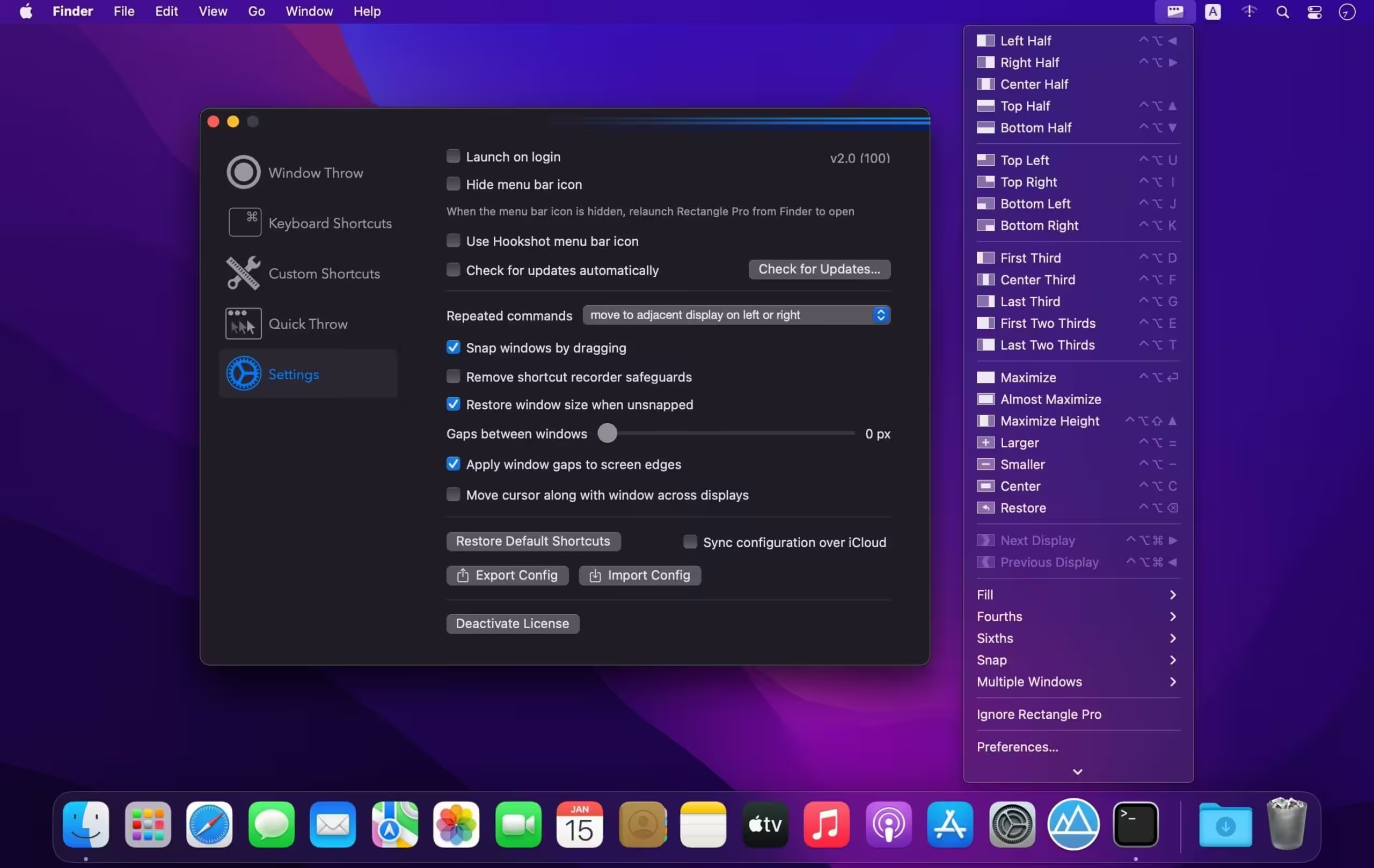
- 16 window sizes & positions
- No need to remember a ton of keyboard shortcuts, but those are all here, too
A Supercharged Rectangle Superset
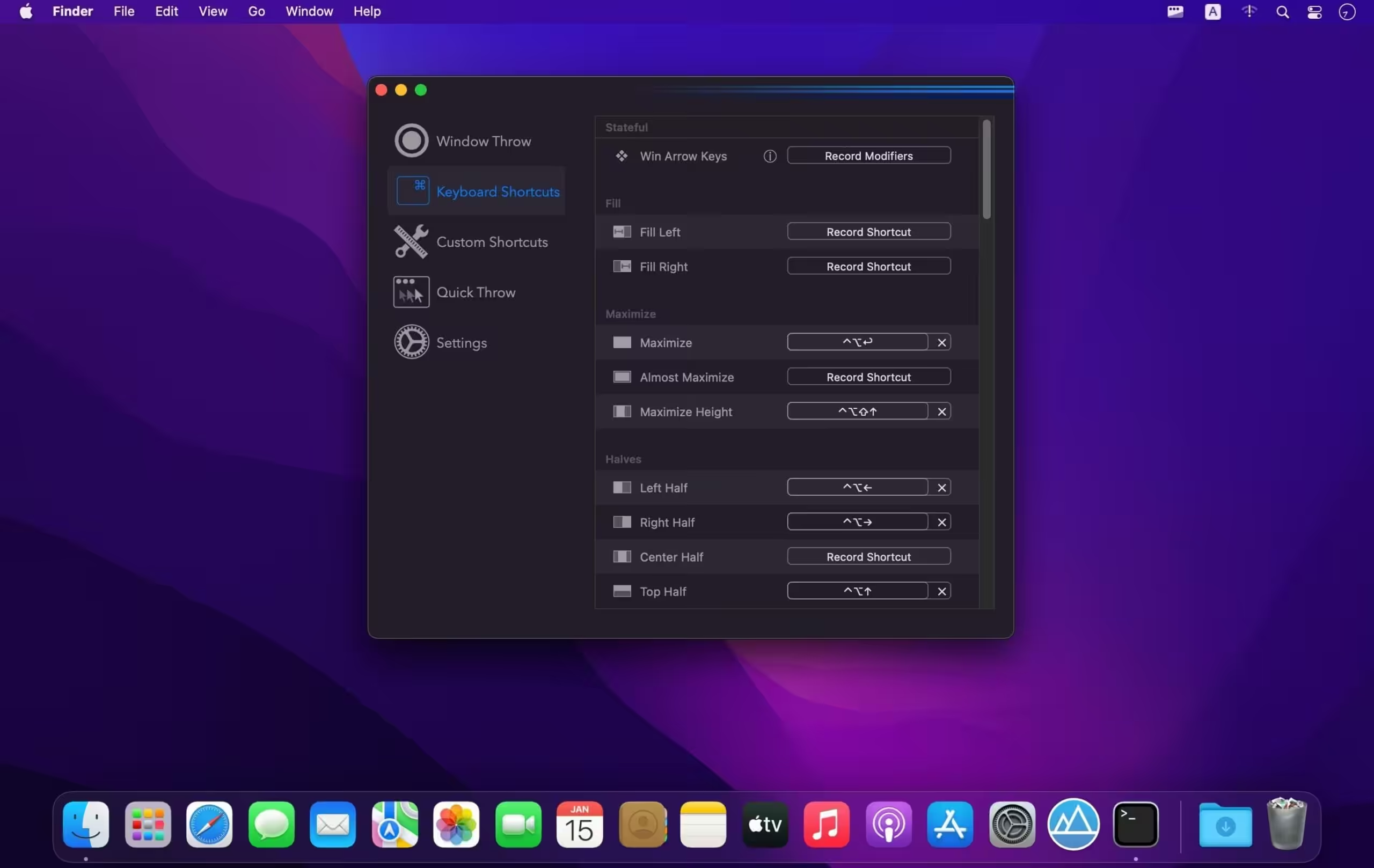
- Keyboard shortcuts
- Drag windows to screen edges to snap
PRO
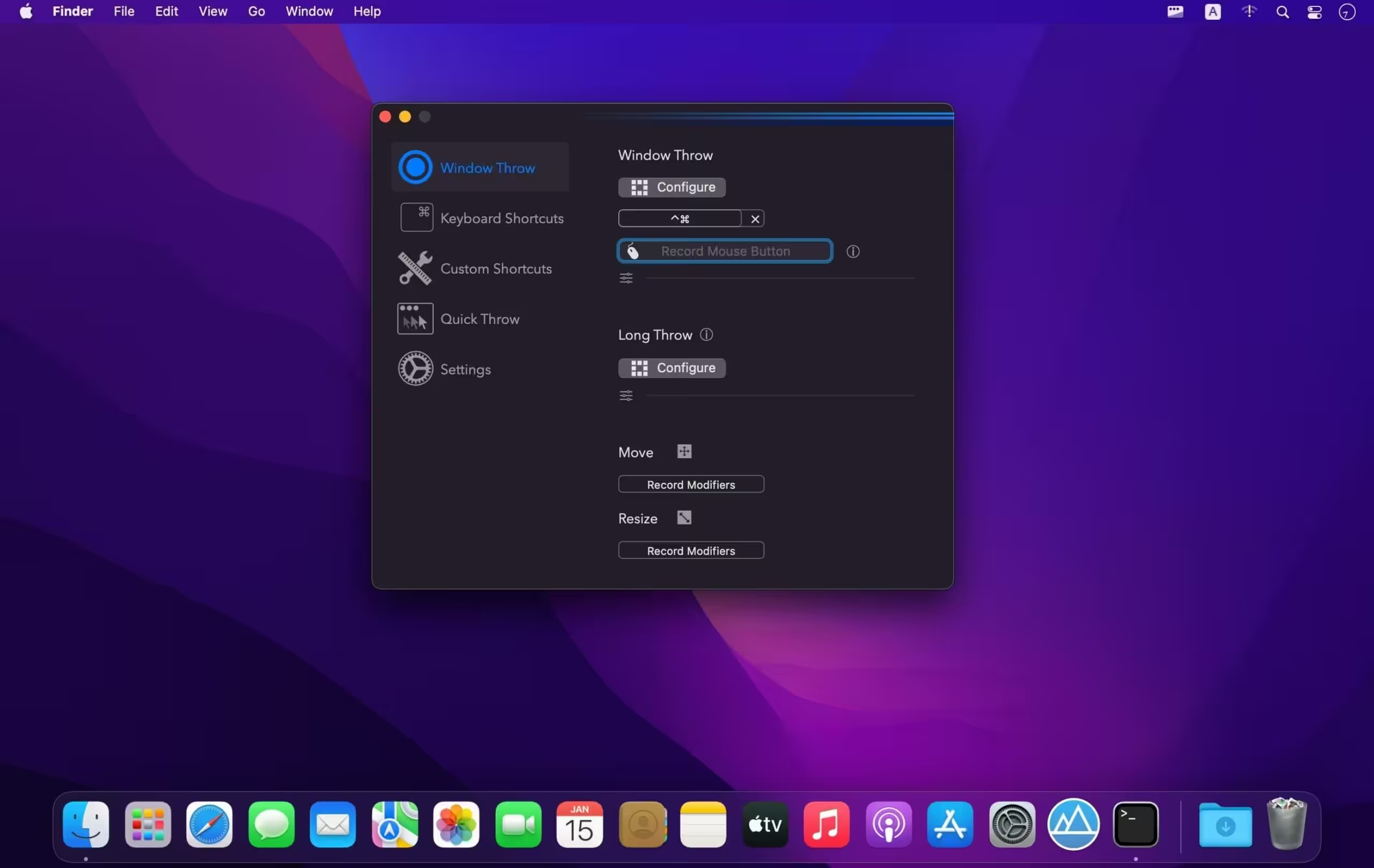
- Move and resize by holding a key and moving your cursor
- Snap windows under your cursor, even if not in focus
- Custom shortcuts for any size & position
- Sync your settings over iCloud
The Lightweight Gesture Champ
- Unlike touch gesture based window managers, Rectangle Pro only consumes CPU when configured modifier keys are pressed. Even then it’s minimal
- Rectangle Pro is a breeze to learn, and doesn’t conflict with any built-in macOS behavior
- Use it with any device that moves the cursor
Unmatched Customization and Actions
- Create keyboard shortcuts with any window size and location, and specify what happens on each repeated execution
- Fill left and right actions make it simple to maximize screen usage without overlap
- Match the keyboard shortcut window management of that other OS
Multiple Windows at Once
- Cascade windows
- Move all windows for an app to another display or screen half
- Tile top windows in a 2×2 or 2×3 grid
Additional Efficiency and Speed
- Each window action can be configured with a quick, simple cursor movement and modifier key combination
- Just press and release modifier keys while you move your cursor over the window you want to snap
What's New in Version 3.92
- Updated the app icon and accent color of the preferences window.
- Added the ability to resize adjacent windows when windows are resized by dragging the edge or using the modifier key resize functionality in the app.
- Moving or resizing windows using configured modifier keys will now pause when another window edge is reached and the move is going slow enough, similar to how it works with dragging window title bars.
- The fill left and fill right window actions now account for more than just the adjacent z-index window.
- Added fill corner window actions.
- The window throw now has an additional scroll capability. When the footprint window is visible, scroll to adjust the size of the footprint (enabled via checkbox in the Window Throw tab of the prefs window).
- Fixed the next/prev display actions when configured in the Snap Panel.
- Various small bug fixes
Older versions & Compatibility
Running macOS Catalina, Big Sur, Monterey, or Ventura? Download tested builds for Intel and Apple Silicon.
-
3.92 LatestOct 07, 2026 · 10.5 MB · Universal
-
3.91 ArchivedOct 07, 2026 · 10.5 MB · Universal
-
3.90 ArchivedOct 07, 2026 · 10.5 MB · Universal
Verified secure servers
Official Website






No comments yet
Share whether this build worked on your Mac, on which macOS version, and your tips.