PullTube is a powerful video downloader designed for macOS, making it effortless to save content from YouTube, Vimeo, and more. This essential tool in macOS Media & Design offers flexible quality options, playlist support, and audio extraction. Optimized for modern Macs, including Apple Silicon, it ensures swift and reliable downloads with real-time progress monitoring.

Download
4 versions
Download Now
1.8.6.41 · FREE · Universal
All older versions
- Size
- 251.0 MB
- Requires
- Universal
- Architecture
- Universal
- Features
- Screenshots 2
- Whats new?
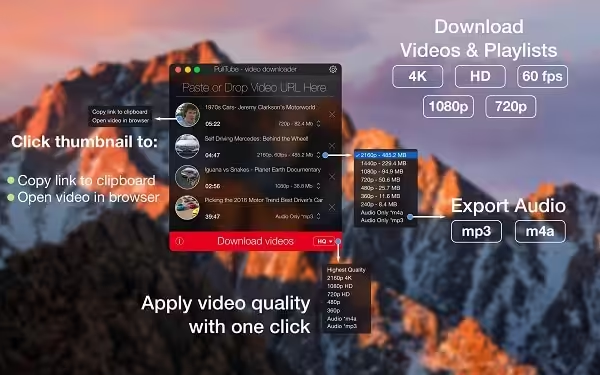
- Multi-Platform Video Downloads: Easily download videos from popular platforms like YouTube and Vimeo, with support for future sources.
- Comprehensive Playlist Support: Effortlessly manage and download entire video playlists with just a few clicks.
- Flexible Output Quality: Choose your preferred video resolution and quality for every download, ensuring optimal playback.
- Audio-Only Extraction: Extract high-quality audio tracks from videos, perfect for podcasts or music libraries.
- Unlimited Video Size: Download videos of any duration or file size without limitations, ensuring complete flexibility.
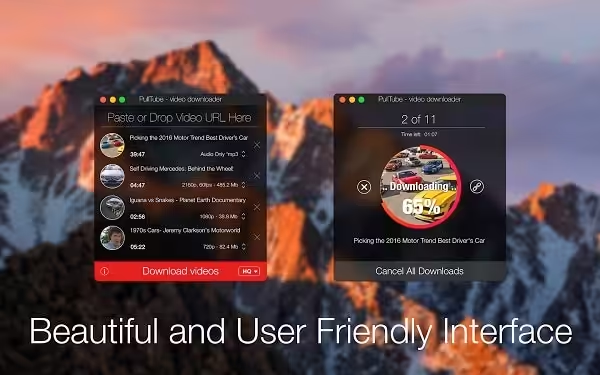
- Real-Time Progress Monitor: Track download status and progress directly within the application's intuitive main window.
- macOS Notification Alerts: Receive timely completion notifications via macOS Notification Center for all your downloads.
What's New in Version 1.8.6.41
- Bug fixes and performance improvements
- Fixed YouTube, Dailymotion, and Soundcloud downloads for some links
Older versions & Compatibility
Running macOS Catalina, Big Sur, Monterey, or Ventura? Download tested builds for Intel and Apple Silicon.
-
1.8.6.41 LatestOct 06, 2026 · 251.0 MB · Universal
-
1.8.6.40 ArchivedOct 06, 2026 · 251.0 MB · Universal
-
1.8.6.39 ArchivedOct 06, 2026 · 251.0 MB · Universal
-
1.8.6.37 ArchivedOct 06, 2026 · 251.0 MB · Universal
Verified secure servers
Official Website




No comments yet
Share whether this build worked on your Mac, on which macOS version, and your tips.