Screenshots
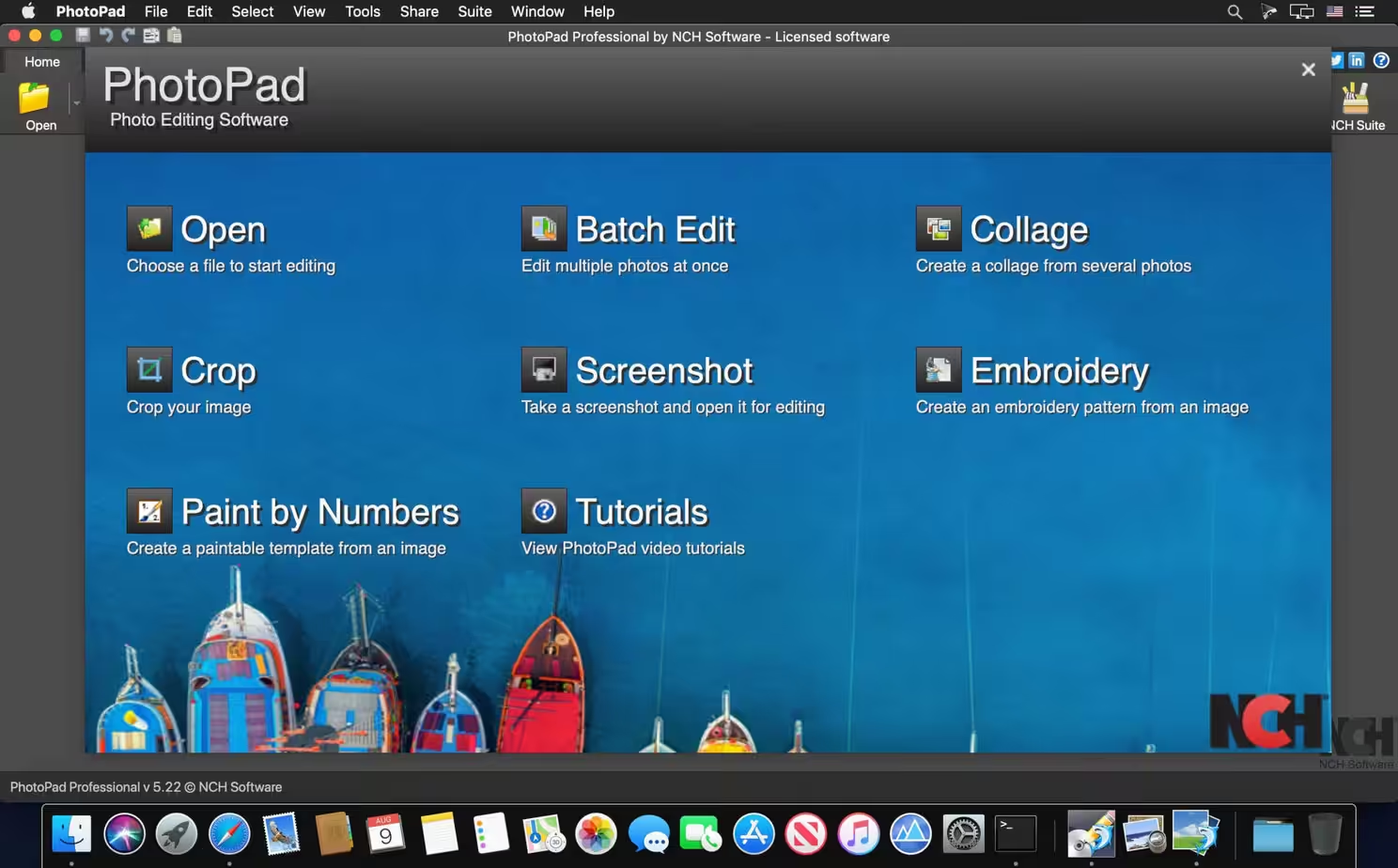
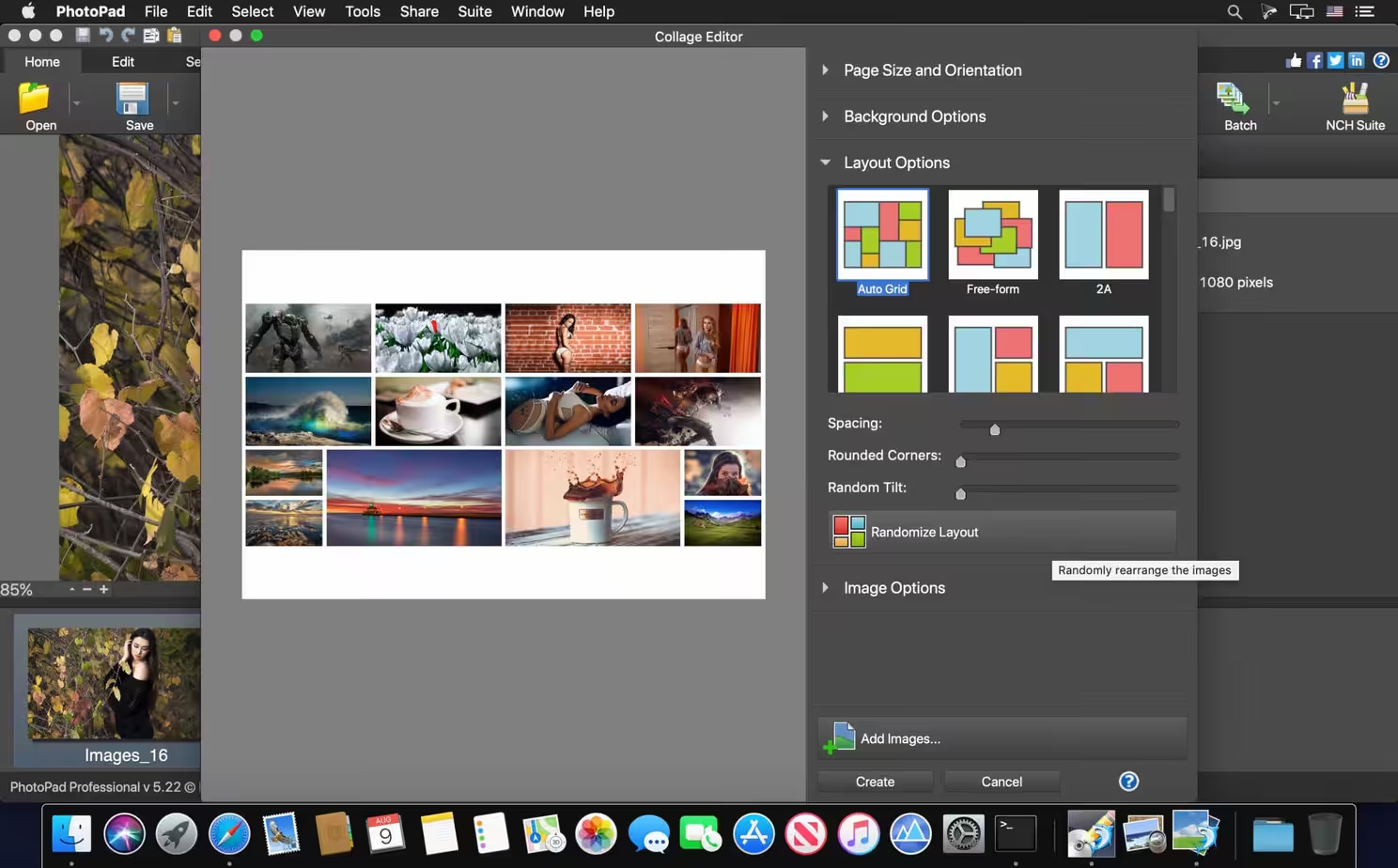
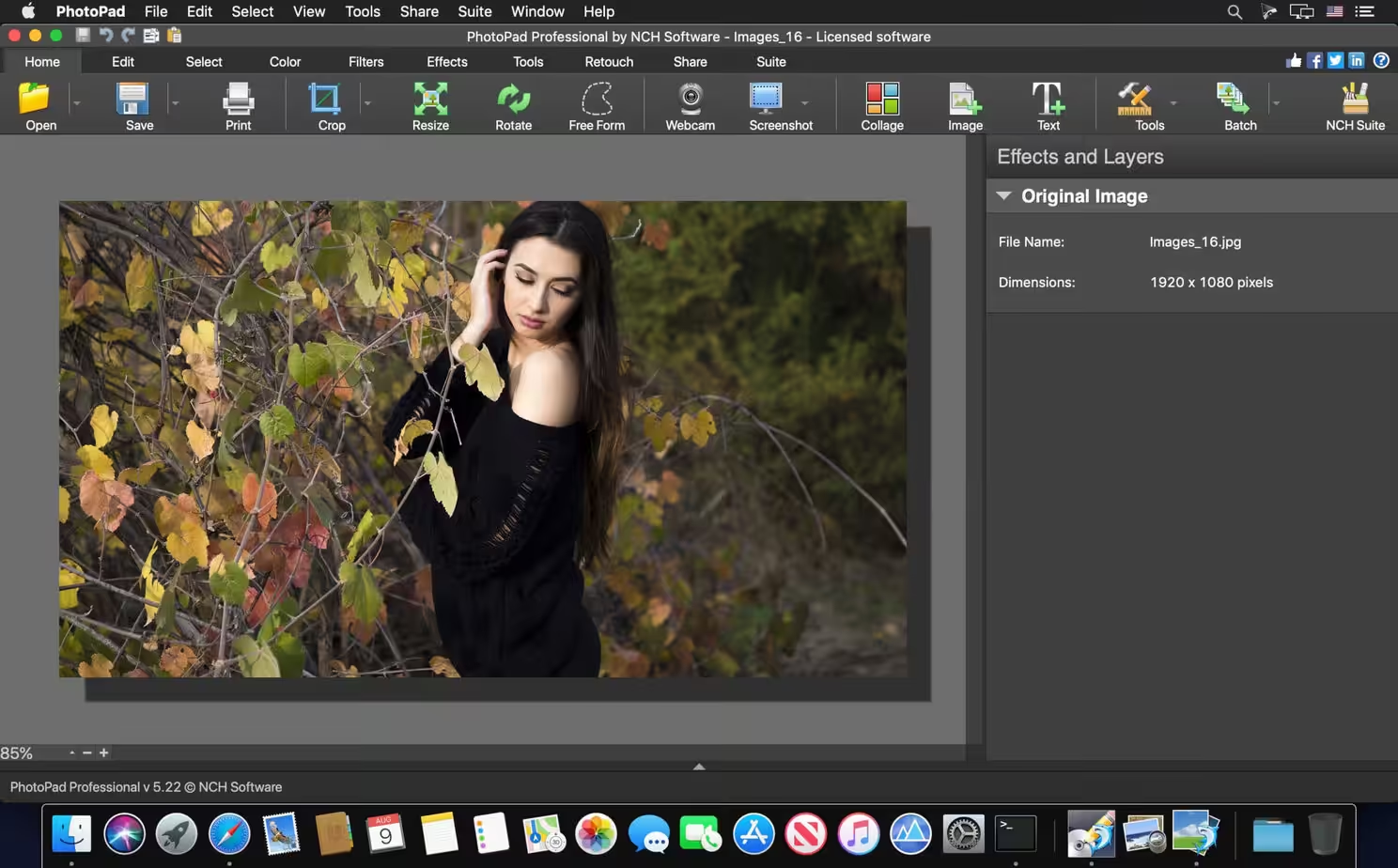
PhotoPad picture editor is the fastest and most fun way to edit your digital photos. PhotoPad is one of the most stable, easy-to-use, and comprehensive photo editors available. Whether you’re a professional photographer or just want to edit your personal photos, PhotoPad is one of the best photo editors on the market today with all the powerful tools and features you need.
Features
PhotoPad picture editor is the fastest and most fun way to edit your digital photos.
- Easily edit digital photos and other pictures
- Supports all popular image formats
- Crop, rotate, resize and flip photos fast
Photo Editing Features
- Crop, rotate, resize and flip pictures
- Touch up photos to remove red-eye and blemishes
- Improve photo quality and focus with blur, sharpening and noise reduction tools
- Adjust the color balance, exposure, levels, brightness, contrast and more
- Merge multiple exposures to create stunning HDR photographs
- Load jpg, gif, png and other popular image formats
- Change the aspect ratio of an image without distorting key features using the liquid resize effect
- Easily undo, re-order and edit existing effects on the layers list using non-destructive editing
Get Creative with Photo Editing
- Apply photo effects, including oil paint, cartoon, vignette, sepia and many more
- Create collages and photo mosaics with your photographs
- Use preset filters to easily enhance your photosConvert your photo to cross stitch patterns, paint by numbers or add an oil painting effect
- Add text and captions to photos to post online, add to photo books or to create a new viral meme
- Insert clipart from the included clipart library
- Add frames and borders around your photographs
- Upload edited pictures directly to Facebook or Flickr
Resize and Crop
- Use the crop tool to make a rectangular photo square or to focus on one portion of your photograph. It’s also easy to resize your photo for the web or for print using the resize tool.
Regional Effects
- Regional Effects is a powerful tool which gives you the ability to apply effects and filters to selected portions of your photo. Select a part of your image and apply an effect or use the paint brush to paint an effect onto part of your picture.
What's New
October 23, 2026- Release notes were unavailable when this listing was updated.
Recent posts
See all ›
Nevercenter CameraBag Pro
v2022 · Updated Nov 24, 2026

GraphicConverter 11.6.1 (5483)
v11.6.1.5483 · Updated Nov 24, 2026

GraphicConverter 11.6.1 (5482)
v11.6.1.5482 · Updated Nov 24, 2026

GraphicConverter 11.6.1 (5481)
v11.6.1.5481 · Updated Nov 24, 2026

Adobe After Effects 2022 v22.1.1
v2022.22.1.1 · Updated Nov 24, 2026

Noir – Dark Mode for Safari 2026.2.4
v2026.2.4 · Updated Nov 24, 2026
Version history
Oct 23, 2026 · 8.8 MB
More apps for you
See all Media & Design ›





Ratings & Reviews
(1 rating)Reportar Enlace Caído
NCH PhotoPad Pro · v14.14
¡Reporte Enviado con Éxito!
Hemos notificado al equipo técnico. Revisaremos el enlace y lo actualizaremos a la mayor brevedad.