
Screenshots
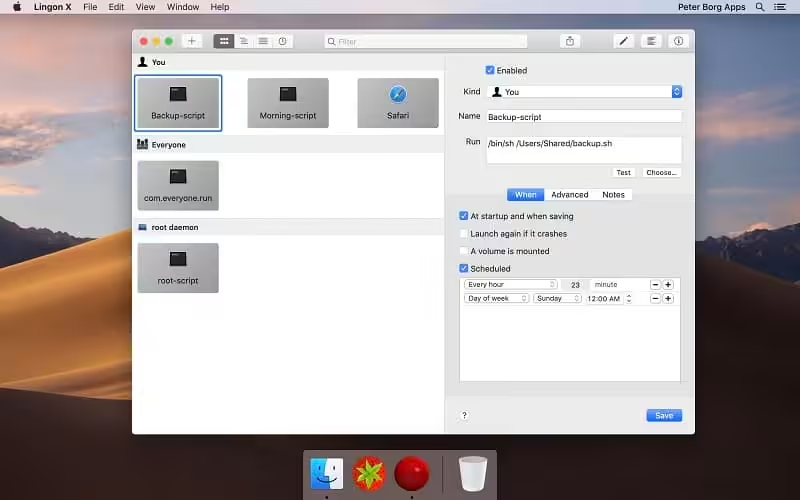
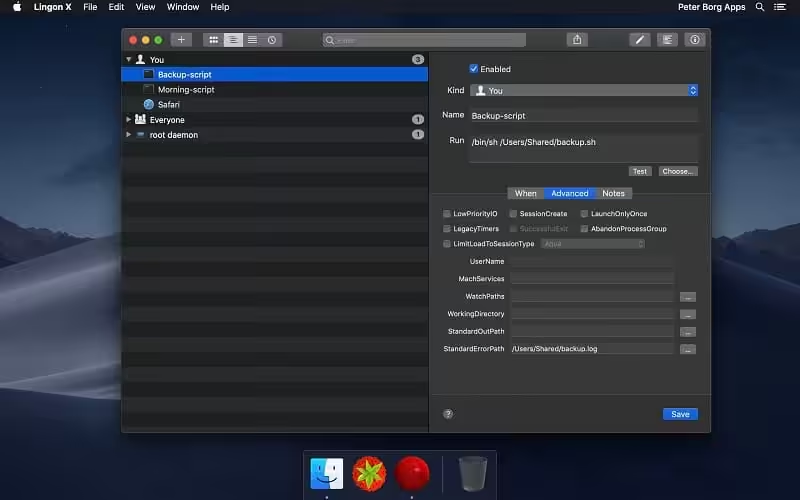
Lingon can start an app and run a script or a command whenever you want. You can schedule it to run at a specific time, regularly, or when something special happens. Run what you want, whenever you want. Lingon can start an app, or a script, or run a command automatically whenever you want it to.
Features
- Start an app, a script, or run a command automatically whenever you want it to. You can schedule it to run at a specific time, regularly, or when something special happens.
- It can also make sure that an app or a script automatically restart if it crashes. Lingon X can do all this for you and much more.
- Let’s you run things automatically by modifying configuration files for the built-in system function called launched so the system handles running the jobs so you don’t need to have Lingon open after you have saved your job.
- Released outside the Mac App Store to be able to include requested features.
- Still available in Mac App Store for those who still use OS X 10.7 Lion or prefer the comfort and convenience of the Mac App Store.
- Earlier versions of Lingon X are still available to work with macOS from 10.8. And a license bought today can be used with both Lingon X 5 and Lingon X 4.
What's New
October 27, 2026- Fixed a possible crash in Preferences
- Some small improvements
Recent posts
See all ›
Nevercenter CameraBag Pro
v2022 · Updated Nov 24, 2026

GraphicConverter 11.6.1 (5483)
v11.6.1.5483 · Updated Nov 24, 2026

GraphicConverter 11.6.1 (5482)
v11.6.1.5482 · Updated Nov 24, 2026

GraphicConverter 11.6.1 (5481)
v11.6.1.5481 · Updated Nov 24, 2026

Adobe After Effects 2022 v22.1.1
v2022.22.1.1 · Updated Nov 24, 2026

Noir – Dark Mode for Safari 2026.2.4
v2026.2.4 · Updated Nov 24, 2026
Version history
Oct 27, 2026 · 8.9 MB
More apps for you
See all System Utilities ›





Ratings & Reviews
(1 rating)Reportar Enlace Caído
Lingon X · v10.1.4
¡Reporte Enviado con Éxito!
Hemos notificado al equipo técnico. Revisaremos el enlace y lo actualizaremos a la mayor brevedad.