Screenshots
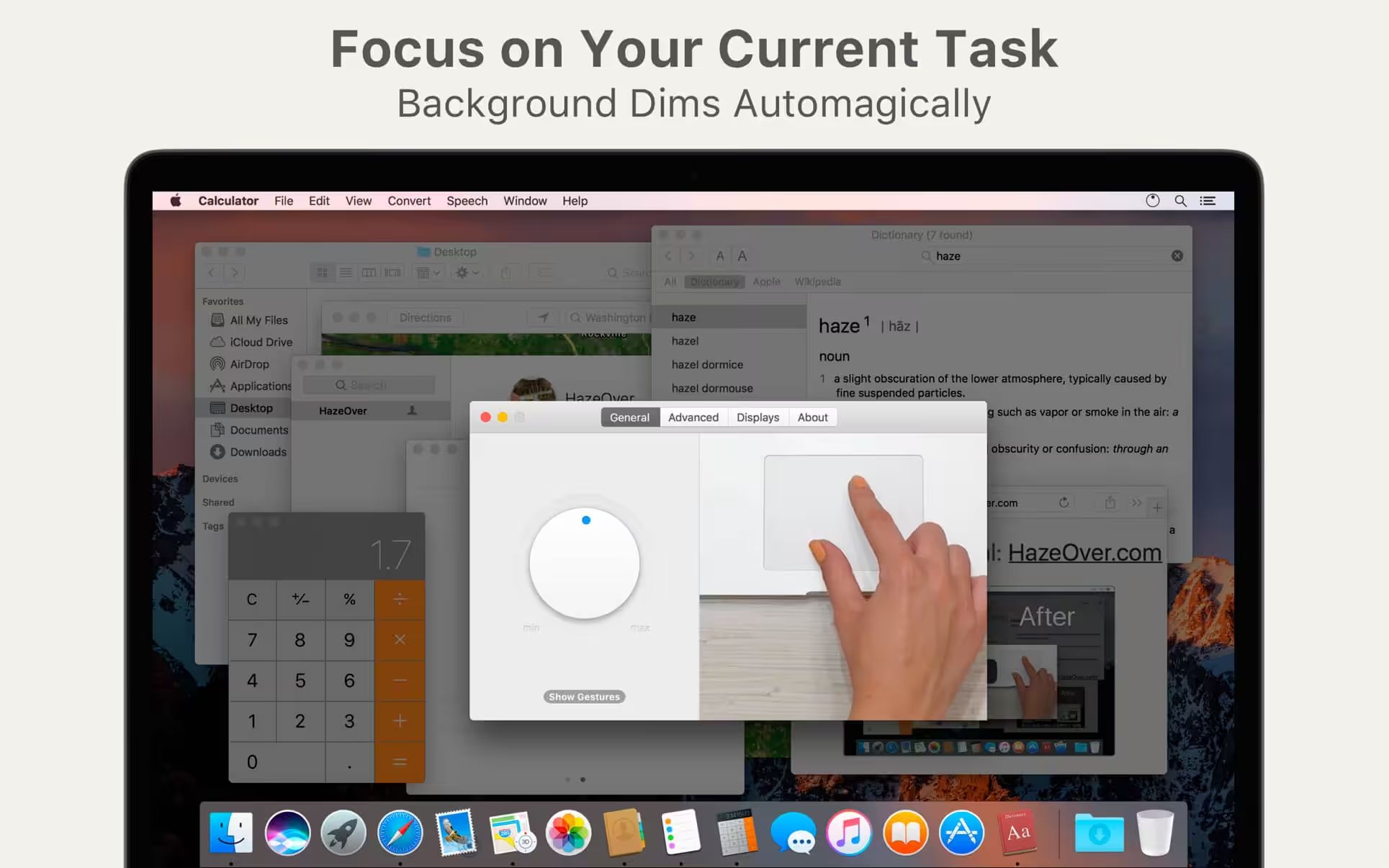
HazeOver — Distraction Dimmer for Mac. Turn distractions down and focus on your current task. Get rid of distractions and focus on your current task. HazeOver automatically highlights the front app window by fading out all the background windows.
Features
Get rid of distractions and focus on your current task. HazeOver automatically highlights the front app window by dimming all background windows.
- Spend less time managing windows. The clutter will no longer bother you.
No need to minimize, close, or hide windows for your workspace to be neat.
- Easily see which window has keyboard focus.
No more typing in the wrong window because the contrast is low.
- Got a bigger display? Then going full screen is not an option for you.
HazeOver prevents getting overwhelmed with too many windows.
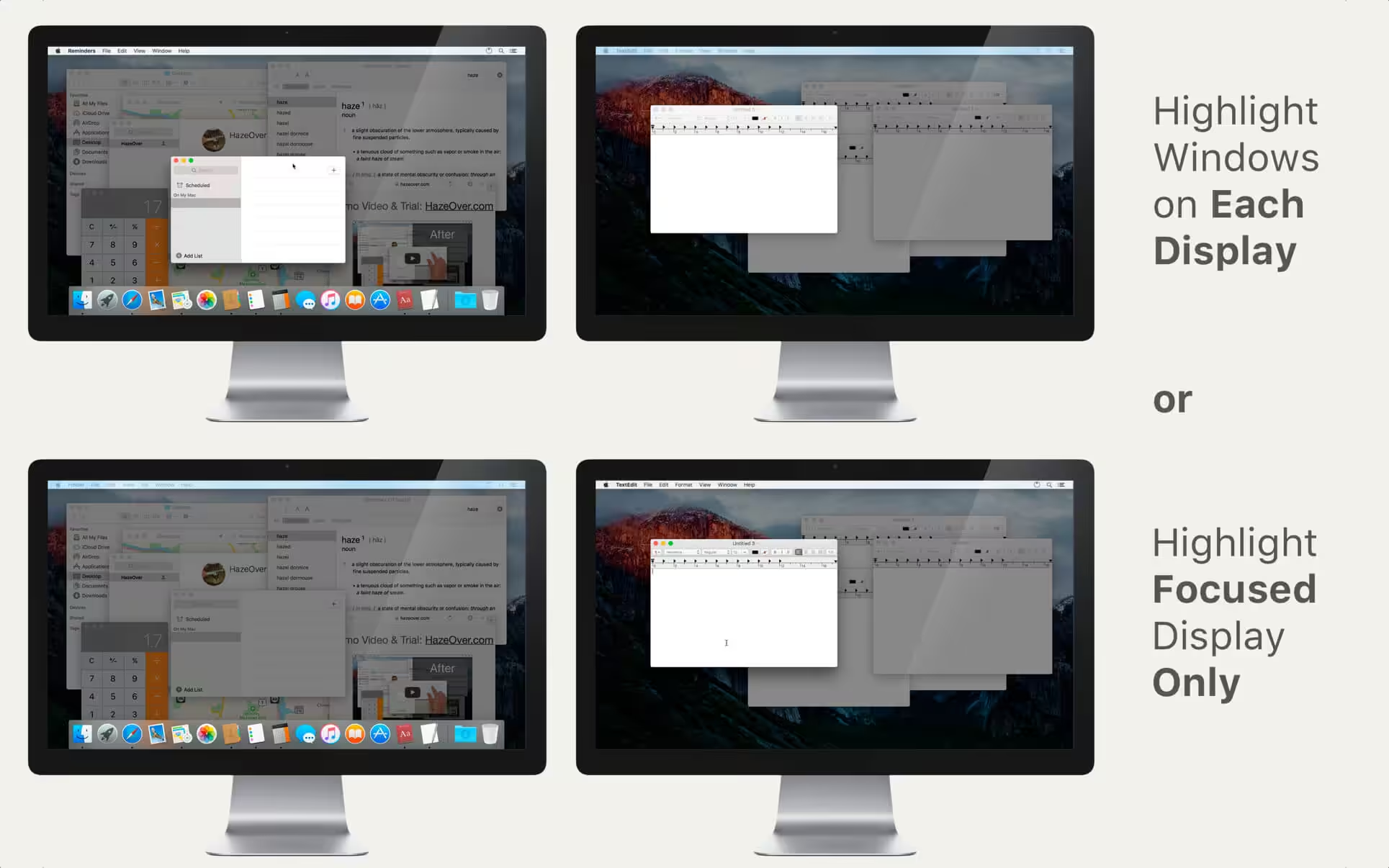
- Multiple monitors? This app will let you know which screen is focused or highlight a window on each monitor.
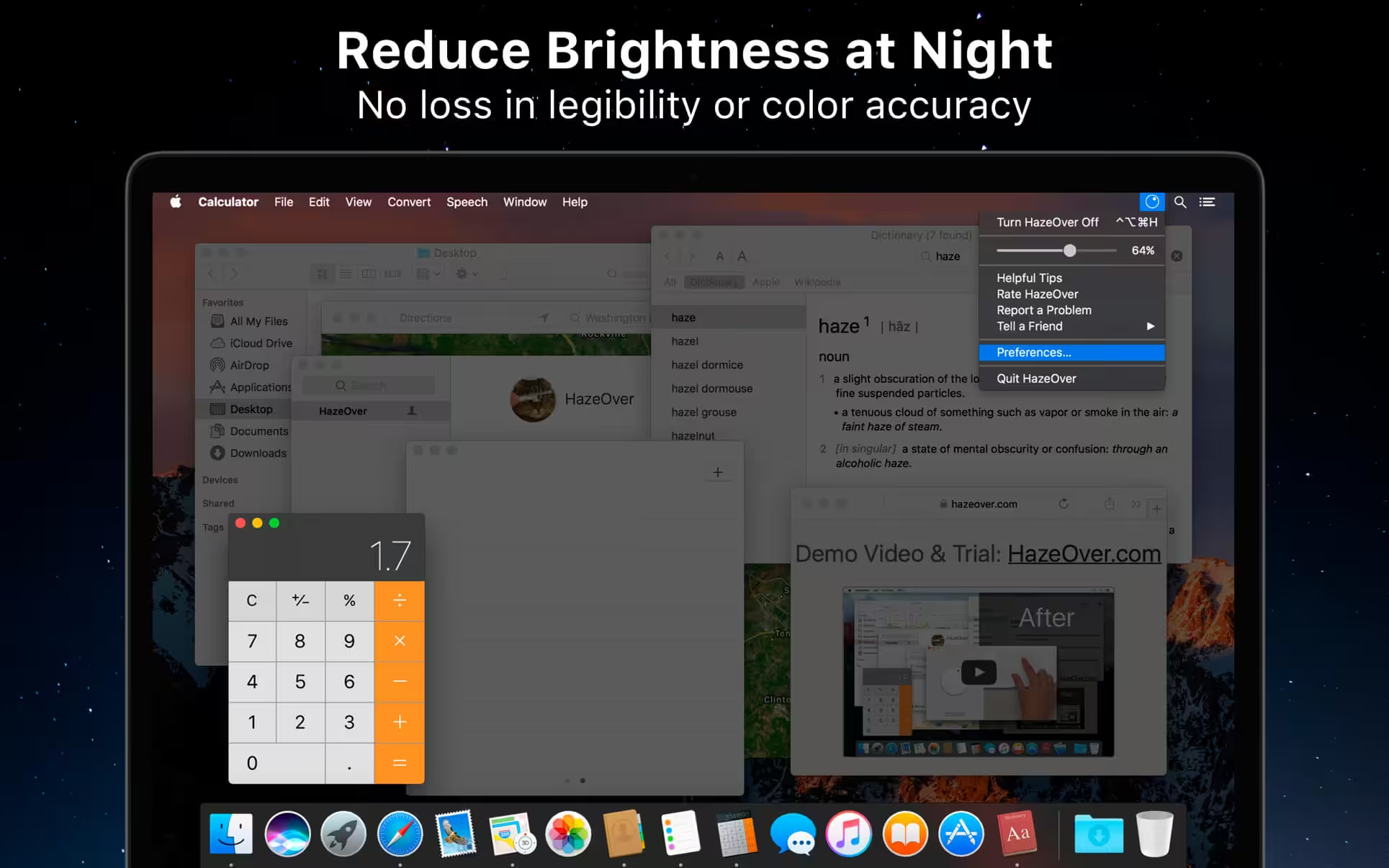
- Power up macOS Dark Mode and reduce background glare.
- Working at night? Reduce interface brightness without sacrificing the legibility or color accuracy of the front window.
Heavy multi-tasking kills your concentration. All those tweets, emails, chat messages, and lolcats staring back at you from the background. They strive for your attention. And you only have that much of it.
Don’t let yourself drown in scores of open windows. Hiding, switching, looking for the right one, more hiding, more switching. Calm down, breathe in, breathe out, launch HazeOver, and finally concentrate on what you’ve been up to.
HazeOver automatically highlights an active window or app when you switch windows. The less important things gently fade away in the background, helping increase your productivity.
Set the hazing intensity and speed to your liking. Be it a soft dimming, or an undemanding hint to focus on your workflow. Or a powerful dark background for outright dedication to your current task.
- The desktop is automatically revealed when used.
- Toggle the shade with a keyboard shortcut or adjust the intensity with a gesture.
- Keep separate dimming settings for Dark and Light mode.
- Dragging stuff between apps? Tap the “fn” key and HazeOver will gracefully fade out.
- Control HazeOver settings with the Shortcuts app, Focus Filters, or AppleScript.
Does HazeOver really help? Check on LifeHacker, CNET, MacWorld, Engadget, and Product Hunt.
What's New
October 22, 2026Set up a Focus Filter on macOS Ventura to toggle HazeOver dimming or set its intensity and color automatically depending on which Focus mode you have activated. For example, you could have dimming turned on when switching to a Work focus or get it set to a particular color when studying.
Select “Set Up Actions…” menu for details and inspiration.
Recent posts
See all ›
Aberrant DSP Digitalis v
v1.0 · Updated Nov 24, 2026

motionVFX – mPrism for Final Cut Pro
v2 · Updated Nov 24, 2026

Ammonite
v1.23.1 · Updated Nov 24, 2026

PopDo 2021.2.8
v2021.2.8 · Updated Nov 24, 2026

SQLPro for SQLite 2022.28
v2022.28 · Updated Nov 24, 2026

Noir – Dark Mode for Safari 2026.2.4
v2026.2.4 · Updated Nov 24, 2026
Version history
Oct 22, 2026 · 2.9 MB
More apps for you
See all System Utilities ›





Ratings & Reviews
(1 rating)Reportar Enlace Caído
HazeOver · v1.9.7
¡Reporte Enviado con Éxito!
Hemos notificado al equipo técnico. Revisaremos el enlace y lo actualizaremos a la mayor brevedad.