Screenshots
FinalShot can save your screenshots into a folder you choose or copy your screenshots into your clipboard so that you can paste them into any other app. Do you have to take screenshots every once in a while? Then you will love FinalShot because you will save so much time! FinalShot lives in your menu bar, and is always there when you need it – 2 clicks, and your screenshot are taken!
Features
- You can screenshot your full screen or a specific area. To screenshot a specific area, simply select the top left corner and drag your cursor to the bottom right corner to outline the area to be captured.
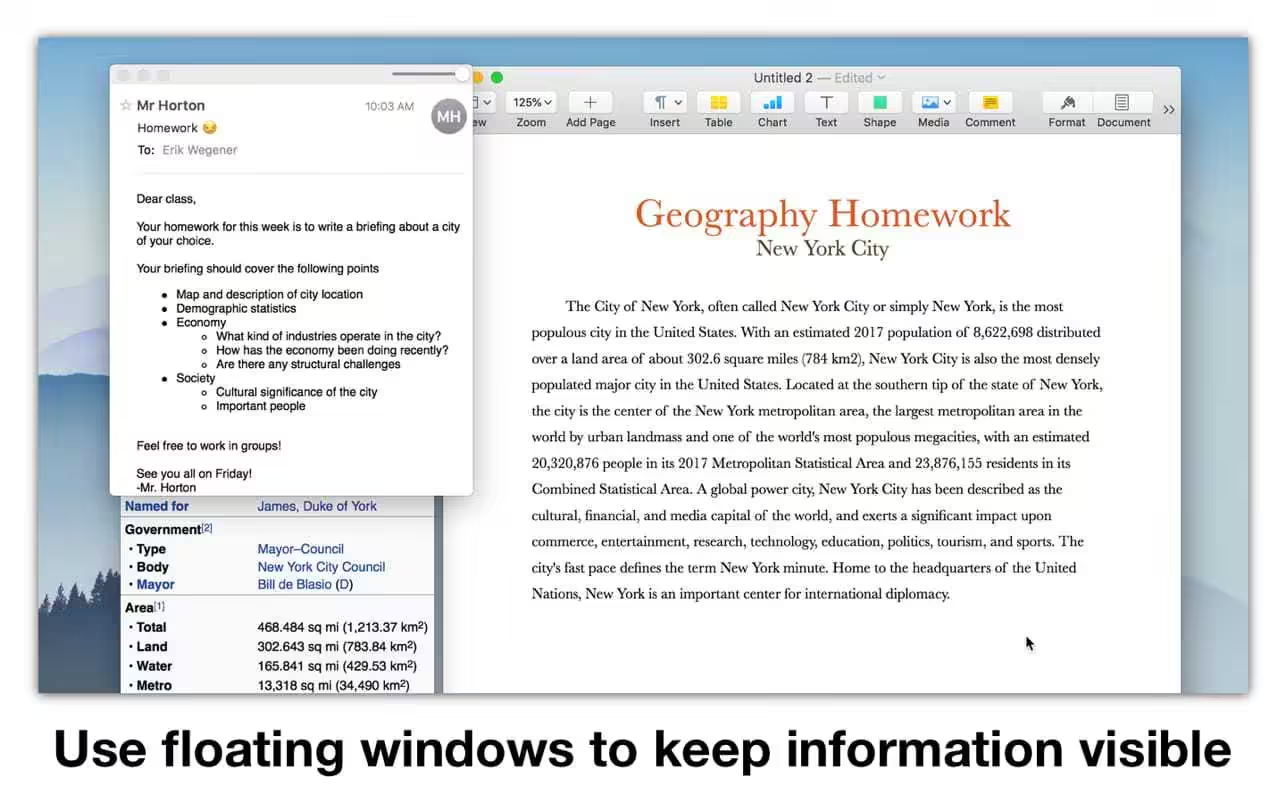
- Floating windows help you keep information visible across different apps! They come in handy when you’re compiling information or when you’re comparing data from different sources. You can use the slider to adjust the transparency of the floating window if you want to see the information below them.
- FinalShot stores your screenshots as PNG or JPEG files and you can lower the quality if you need smaller files.
You can enable and disable the options ‘Save in directory’, ‘Copy to clipboard’ and ‘Show floating window’. These options are only active when you see a tick next to them in the menu. Click on the option to enable or disable it.
What's New
November 13, 2026- Bug fixes and performance improvements
Recent posts
See all ›
Nevercenter CameraBag Pro
v2022 · Updated Nov 24, 2026

GraphicConverter 11.6.1 (5483)
v11.6.1.5483 · Updated Nov 24, 2026

GraphicConverter 11.6.1 (5482)
v11.6.1.5482 · Updated Nov 24, 2026

GraphicConverter 11.6.1 (5481)
v11.6.1.5481 · Updated Nov 24, 2026

Adobe After Effects 2022 v22.1.1
v2022.22.1.1 · Updated Nov 24, 2026

Noir – Dark Mode for Safari 2026.2.4
v2026.2.4 · Updated Nov 24, 2026
Version history
Oct 21, 2026 · 6.4 MB
More apps for you
See all Productivity & Business ›





Ratings & Reviews
(1 rating)Reportar Enlace Caído
FinalShot · v2.4
¡Reporte Enviado con Éxito!
Hemos notificado al equipo técnico. Revisaremos el enlace y lo actualizaremos a la mayor brevedad.