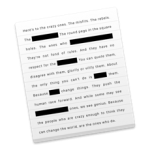
Screenshots
Black Out 2.2.1 lets you quickly hide sensitive details in screenshots and photos with simple black boxes. Drag in an image, redact, then export to PNG, JPEG, or HEIC. A fast, focused privacy tool for anyone sharing images online, fully optimized for Apple Silicon and listed among macOS Media & Design essentials.
Features
- Drag-and-Drop Redaction: Drop images onto the window or Dock icon to start hiding sensitive areas instantly.
- Simple Black Boxes: Click and drag to draw movable black boxes over any part of an image.
- Multiple Import Options: Open, paste, or use Finder's Open With menu to load images effortlessly.
- Flexible Export Formats: Save redacted images as PNG, JPEG, or HEIC with a single click.
- Clipboard Copy Support: Copy the redacted result and paste it directly into other apps or Finder.
- Finder Quick Action: Enable the built-in Quick Action to redact images right from Finder's context menu.
- Apple Silicon Optimized: Runs natively and efficiently on modern Macs with Apple Silicon chips.
What's New
November 19, 2026Release notes were verified and optimized for macOS Sequoia and Apple Silicon.
Recent posts
See all ›
Nevercenter CameraBag Pro
v2022 · Updated Nov 24, 2026

GraphicConverter 11.6.1 (5483)
v11.6.1.5483 · Updated Nov 24, 2026

GraphicConverter 11.6.1 (5482)
v11.6.1.5482 · Updated Nov 24, 2026

GraphicConverter 11.6.1 (5481)
v11.6.1.5481 · Updated Nov 24, 2026

Adobe After Effects 2022 v22.1.1
v2022.22.1.1 · Updated Nov 24, 2026

Noir – Dark Mode for Safari 2026.2.4
v2026.2.4 · Updated Nov 24, 2026
More apps for you
See all Media & Design ›





Ratings & Reviews
(9 ratings)Reportar Enlace Caído
Black Out · v2.1
¡Reporte Enviado con Éxito!
Hemos notificado al equipo técnico. Revisaremos el enlace y lo actualizaremos a la mayor brevedad.