BetterTouchTool transforms your macOS experience, offering unparalleled customization for input devices. It empowers users to define countless gestures for Magic Mouse, trackpads, and standard mice, alongside keyboard shortcuts and Apple Remote actions. This powerful utility streamlines workflows and automates tasks with precision, making it an indispensable tool among macOS System Utilities. Fully optimized for modern Macs, including Apple Silicon.

Download
5.632 · FREE
Download Now
5.632 · FREE · Universal
All older versions
- Size
- 35.4 MB
- Requires
- Universal
- Architecture
- Universal
- Features
- Screenshots 2
- Whats new?
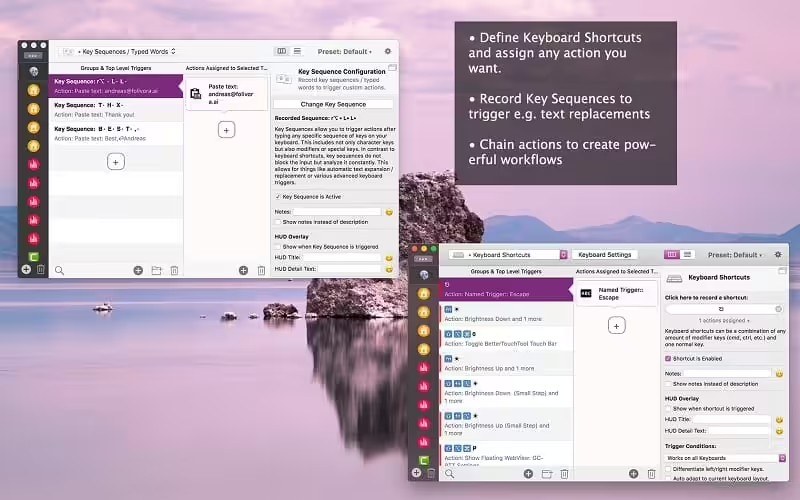
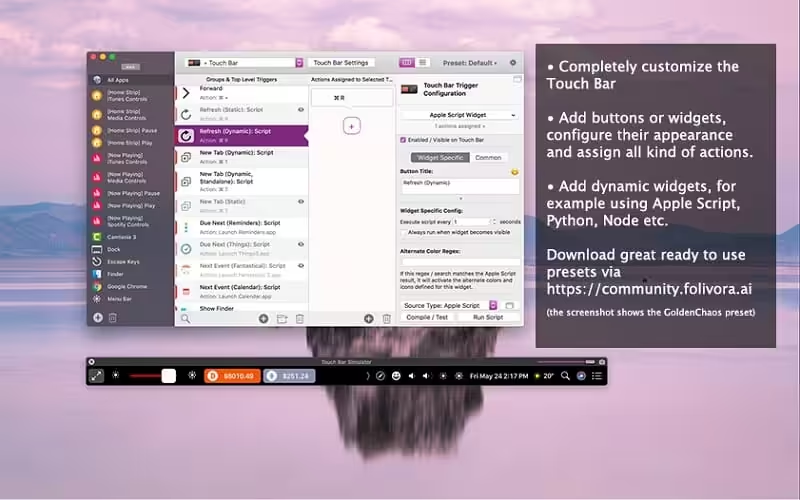
- Advanced Input Customization: Tailor gestures and actions for Magic Mouse, trackpads, and standard mice to enhance your macOS interaction.
- Precision Trackpad Gestures: Define custom multi-touch gestures for your MacBook and Magic Trackpads, unlocking powerful new workflows.
- Universal Mouse Gestures: Extend functionality to any standard mouse by assigning custom gestures and actions for seamless control.
- Flexible Keyboard Shortcuts: Remap and create custom keyboard shortcuts to trigger complex actions and automate repetitive tasks efficiently.
- Programmable Mouse Buttons: Assign specific actions to your normal mouse buttons, transforming them into powerful productivity tools.
- Apple Remote Control: Utilize your Apple Remote to control applications and trigger system actions with personalized commands.
- Vast Action Library: Choose from an ever-expanding list of actions to automate virtually any task across your macOS environment.
What's New in Version 5.632
- Fixes an issue that caused some trial periods to end too early.
- BTT now remembers its menubar icon position correctly.
Older versions & Compatibility
Running macOS Catalina, Big Sur, Monterey, or Ventura? Download tested builds for Intel and Apple Silicon.
-
5.632 LatestOct 06, 2026 · 35.4 MB · Universal
Verified secure servers
Official Website




No comments yet
Share whether this build worked on your Mac, on which macOS version, and your tips.