
Screenshots
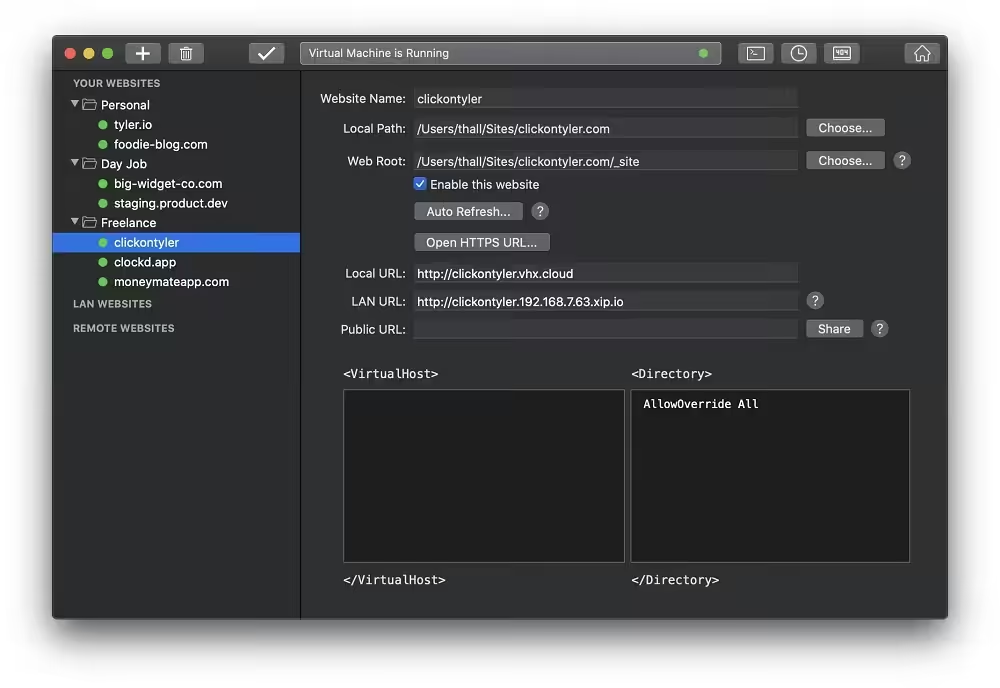
VirtualHostX is the easiest way to build and test multiple websites on your Mac. It’s the perfect solution for web designers working on more than one project at a time. With VirtualHostX, you can easily create and manage unlimited Apache websites with just a few clicks.
Features
- The app new detects if your unsaved changes require doing a full reboot of the virtual machine, or if it’s safe just to do a fast restart of the webserver.
- More more reliable and stable connection to the virtual machine. Should help prevent the dreaded “Default Ubuntu Apache” webpage from appearing.
- Show helpful information when no websites have been created yet.
- Better tracking of which websites have unsaved changes.
- Much improved drag/drop of websites and groups in the sidebar
- Custom directives textboxes now use a fixed-width font.
- New toolbar icons.
- The sidebar is smarter about keeping track of what items should be selected.
- Added status tooltips with contextual information throughout the app.
- Generate real SSL certificates with Certbot.
- A brand new status view that shows what’s happening to the web server and virtual machine.
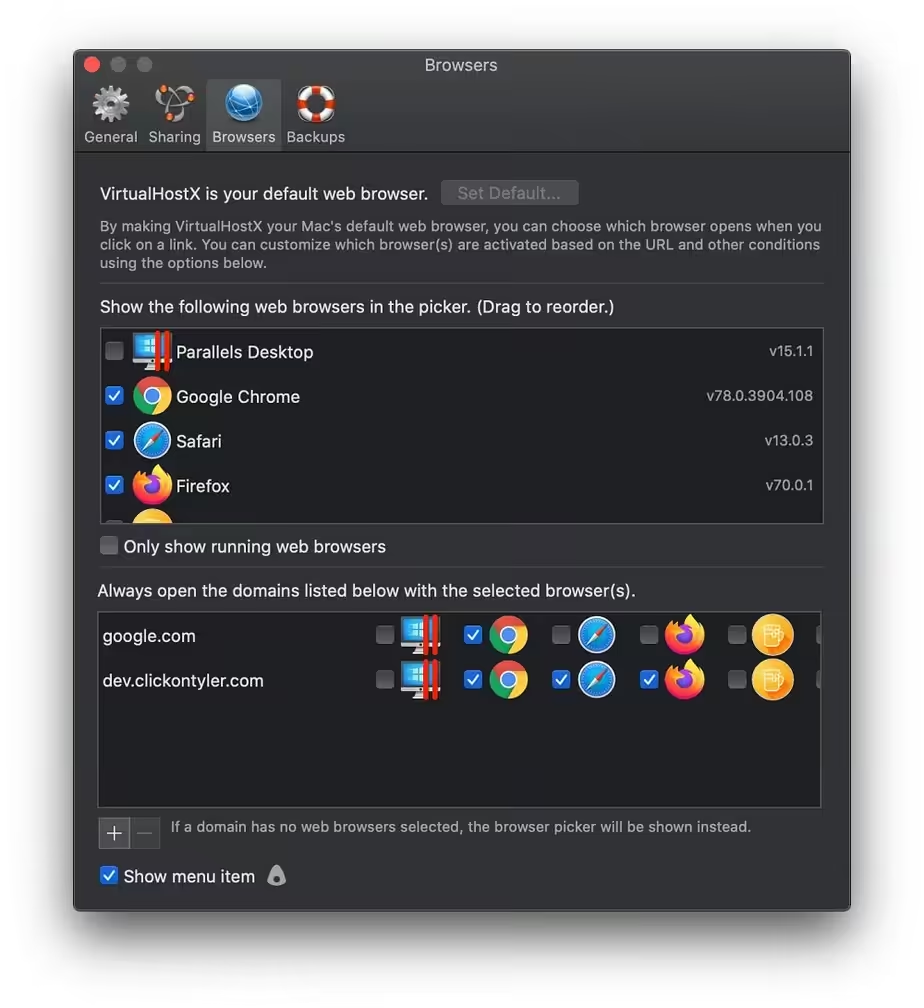
- Control your macOS web browsers.
- Use standard system status icons in the sidebar.
- Reveal web server log folder in Finder.
- Keep logs of all virtual machine actions.
- Show a virtual machine output window during the setup process.
- Preference to not show a virtual machine output window at all.
- Modern macOS UI.
- Fixes to Uninstall script.
- Correctly open the Start page when using alternative webserver port numbers.
- Prompt to install Vagrant/VirtualBox if they’re not detected.
- Fixed many, many crashes
- macOS Today extension.
- AppleScript support.
- Improved app launch time on older Macs.
- Add warning when choosing to Destroy the virtual machine.
- Abort virtual machine restart if the Admin password prompt is canceled.
- Ensure Local Path and WebRoot directories make sense to one another.
- Automatically offer to destroy virtual machine after updating the Vagrant box.
- Better checking of which webserver port is in use.
- Improved Welcome window flow.
- Improved Preferences window UI.
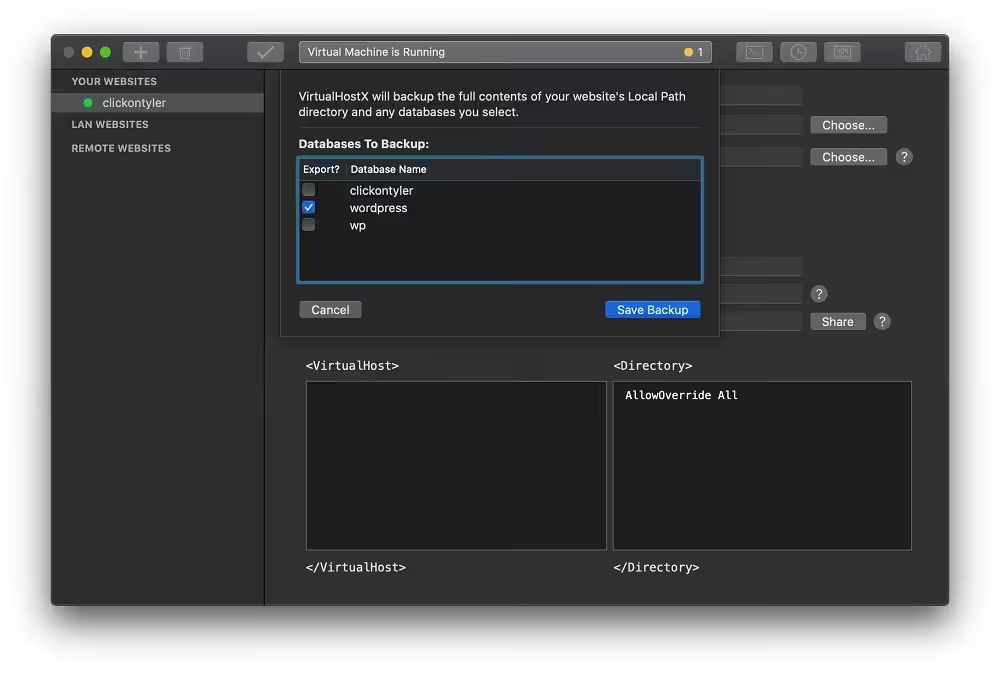
- Added website and database backup manager.
- Reopen the correct window when clicking on the Dock icon.
- Improvements to bundled phpMyAdmin.
What's New
November 16, 2026- This is just a quick update that renews the vhx.cloud SSL certificate so you can continue to test your websites using HTTPS
Recent posts
See all ›
Compress Any Video PRO
v2.1 · Updated Nov 24, 2026

GraphicConverter 11.6.1 (5487)
v11.6.1.5487 · Updated Nov 24, 2026

Adobe Acrobat DC Pro 2022.001.20112
v2022.001.20112 · Updated Nov 24, 2026

Maxon Cinema 4D R26.
v013 · Updated Nov 24, 2026

Luminar Neo 1.0.5 (11374)
v1.0.5.11374 · Updated Nov 24, 2026

Sip 4.0.0
Updated Nov 24, 2026
Version history
Oct 18, 2026 · 31.7 MB
More apps for you
See all Developer Tools ›





Ratings & Reviews
(1 rating)Reportar Enlace Caído
VirtualHostX · v8.7.16
¡Reporte Enviado con Éxito!
Hemos notificado al equipo técnico. Revisaremos el enlace y lo actualizaremos a la mayor brevedad.