Screenshots
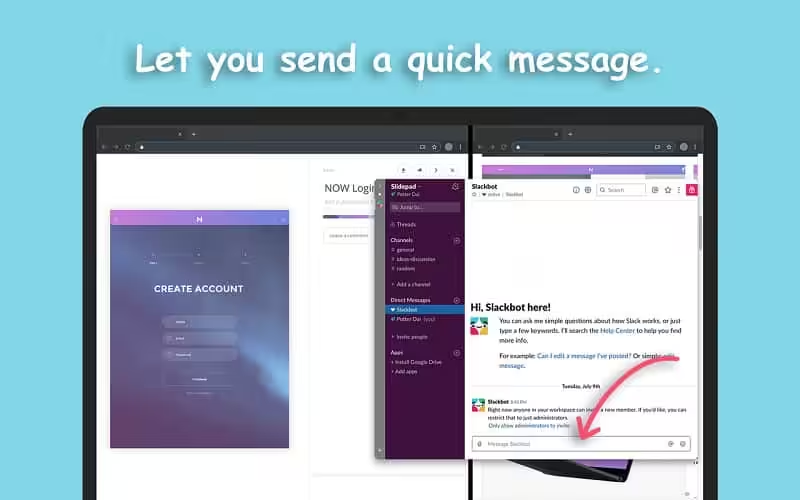
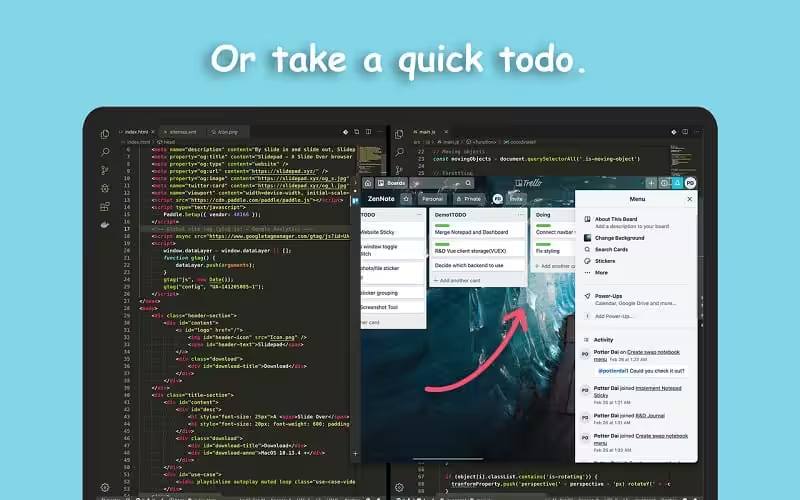
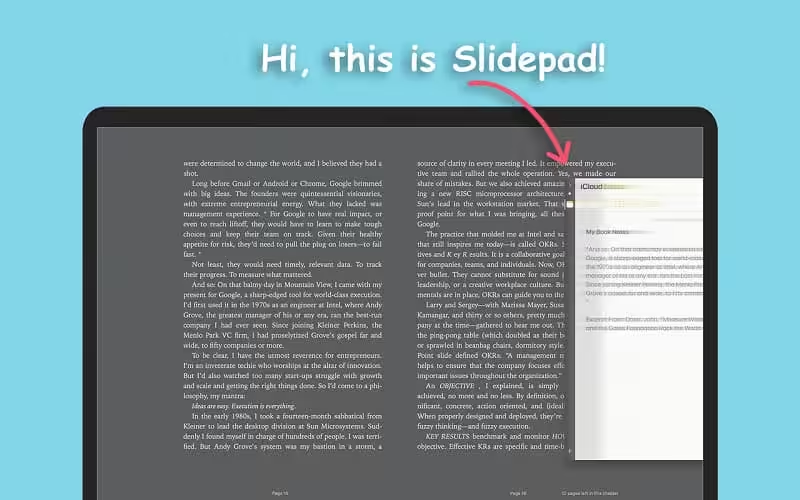
Slidepad is a slide-over browser that will magically boost your productivity. Inspired by the slide-over feature on iPad, Slidepad allows you to quickly take notes or send a chat message without having to switch between different windows or workspaces. An iPad-style slide-over window for your web apps. No more hassle of window switching. Unlike other similar apps, there is no limit on what can be placed on Slidepad. You can type any keywords and URLs, like what you do in common browsers!
Features
With simple slide-in and slide-out gestures, Slidepad delivers iPad-style multitasking to your Mac. It is the fastest way to open and close your productivity apps such as Trello, Todoist, Slack, etc., without them dominating your workspace, or obstructing your workflow.
A simple sidebar to switch between appsSlidepad borrowed the concept of sidebar from Franz and Station. It is much smoother than tabs, and it helps you quickly switch between your favorite web apps.
An Omnibox lets you open any websites, tutorials, or PDFsUnlike similar apps, there is no limit on what can be placed on Slidepad. You can type any keywords, URLs, apps, pdfs, docs – anything you can imagine!
A small tool with many use casesYou can use Slidepad to quickly send someone a message, check out what should be done next, write down some random thoughts at your favorite note tool, or switch your favorite songs.
More Features- Minimal-style sidebar
- Corner snapping
- Developer tool enabled
- Customizable sound setting
- Mobile/Desktop user-agent switching
- Display badge when receiving new notifications
- On/Off live notifications
- Multi-screen support
- Drag/drop support
- Picture in Picture support
- Quicklook icon support
- Dark theme support (macOS 10.14+)
- Global keyboard shortcut support
What's New
November 7, 2026- Minor bug fixes
Recent posts
See all ›
Nevercenter CameraBag Pro
v2022 · Updated Nov 24, 2026

GraphicConverter 11.6.1 (5483)
v11.6.1.5483 · Updated Nov 24, 2026

GraphicConverter 11.6.1 (5482)
v11.6.1.5482 · Updated Nov 24, 2026

GraphicConverter 11.6.1 (5481)
v11.6.1.5481 · Updated Nov 24, 2026

Adobe After Effects 2022 v22.1.1
v2022.22.1.1 · Updated Nov 24, 2026

Noir – Dark Mode for Safari 2026.2.4
v2026.2.4 · Updated Nov 24, 2026
Version history
Oct 17, 2026 · 13.3 MB
More apps for you
See all System Utilities ›





Ratings & Reviews
(1 rating)Reportar Enlace Caído
Slidepad · v1.6.2
¡Reporte Enviado con Éxito!
Hemos notificado al equipo técnico. Revisaremos el enlace y lo actualizaremos a la mayor brevedad.