Screenshots
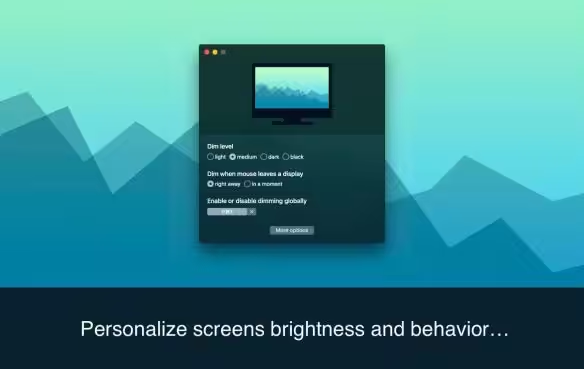
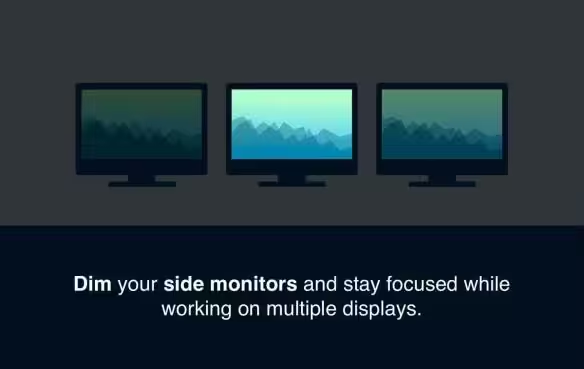
ScreenFocus dims your screens. You don’t have to click any button to dim a screen. It’s dimmed automatically when you move the cursor away. By default, only the side screens are dimmed. Of course, you can change it within the app menu.
Features
- Stay focused: Don’t let side monitors distract you. ScreenFocus DIMMs any number of screens so that you can focus only on what you are actually working on.
- Brighten up a monitor in no time: Simply move your cursor over the side monitor – the screen will brighten up. When you move the cursor away, the screen will dim again.
- Variety of settings: We believe ScreenFocus works perfectly as it is. But perfect is not the same for everyone. You can adjust the dim level, the time before a screen is dimmed, and even the fade duration. In the application menu, you can choose if a particular monitor should be dimmed.
What's New
October 24, 2026- Release notes were unavailable when this listing was updated.
Recent posts
See all ›
Compress Any Video PRO
v2.1 · Updated Nov 24, 2026

GraphicConverter 11.6.1 (5487)
v11.6.1.5487 · Updated Nov 24, 2026

Adobe Acrobat DC Pro 2022.001.20112
v2022.001.20112 · Updated Nov 24, 2026

Maxon Cinema 4D R26.
v013 · Updated Nov 24, 2026

Luminar Neo 1.0.5 (11374)
v1.0.5.11374 · Updated Nov 24, 2026

Sip 4.0.0
Updated Nov 24, 2026
Version history
Oct 24, 2026 · 11.6 MB
More apps for you
See all Productivity & Business ›





Ratings & Reviews
(1 rating)Reportar Enlace Caído
ScreenFocus · v1.1.1
¡Reporte Enviado con Éxito!
Hemos notificado al equipo técnico. Revisaremos el enlace y lo actualizaremos a la mayor brevedad.