Screenshots
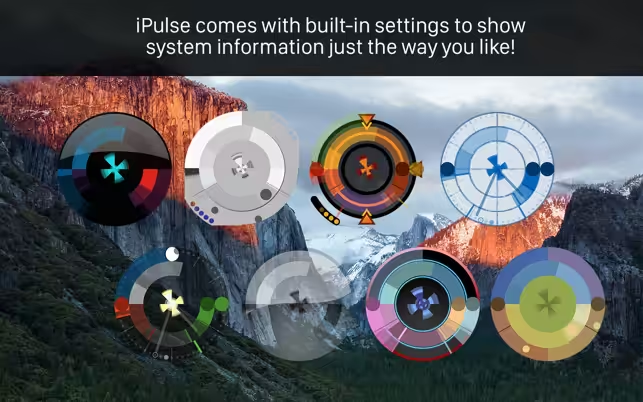
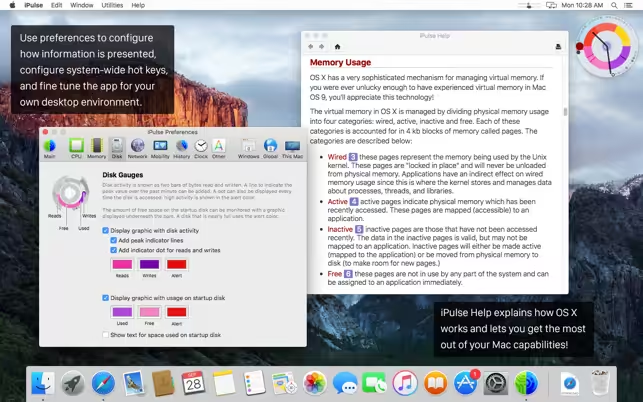
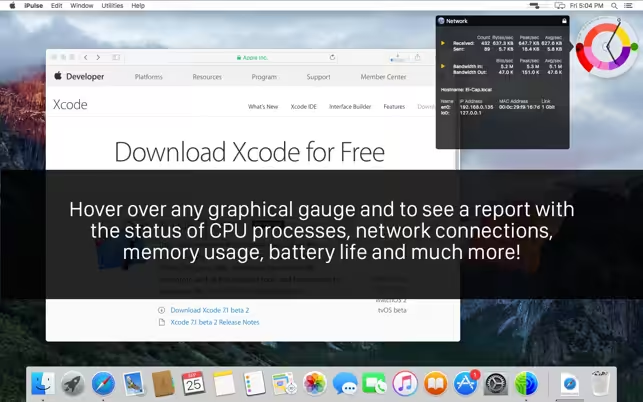
Thousands of customers have been using iPulse to keep an eye on their Mac’s performance since it was introduced back in 2002. Now, the first app to display system status is optimized for Mojave! Using its concise and appealing user interface, iPulse graphically displays the inner workings of macOS on your desktop, menu bar, or Dock. The presentation is totally configurable so you can set exactly what you need and view it just the way you want.
Features
- Monitors numerous macOS statistics including:
- CPU activity
- System load over time
- Network bandwidth and activity
- Memory activity and usage
- Battery & wireless signal strength
- Disk usage
- Current time and date
- Compact, clever & fully customizable user interface
- Presents information both graphically and with text
- Beautiful on Retina display
- Fits in perfectly with the new system appearances
- Save & load custom appearances
- Minimizes impact on system performance
- View data on the desktop, in the menu bar or Dock
- Show & hide windows using system hotkeys
What's New
November 5, 2026- Compatibility with the latest operating systems and hardware
- CPU architecture is now shown in General info
Recent posts
See all ›
Nevercenter CameraBag Pro
v2022 · Updated Nov 24, 2026

GraphicConverter 11.6.1 (5483)
v11.6.1.5483 · Updated Nov 24, 2026

GraphicConverter 11.6.1 (5482)
v11.6.1.5482 · Updated Nov 24, 2026

GraphicConverter 11.6.1 (5481)
v11.6.1.5481 · Updated Nov 24, 2026

Adobe After Effects 2022 v22.1.1
v2022.22.1.1 · Updated Nov 24, 2026

Noir – Dark Mode for Safari 2026.2.4
v2026.2.4 · Updated Nov 24, 2026
Version history
Oct 16, 2026 · 8.3 MB
More apps for you
See all System Utilities ›





Ratings & Reviews
(1 rating)Reportar Enlace Caído
iPulse · v3.14159
¡Reporte Enviado con Éxito!
Hemos notificado al equipo técnico. Revisaremos el enlace y lo actualizaremos a la mayor brevedad.