
Screenshots
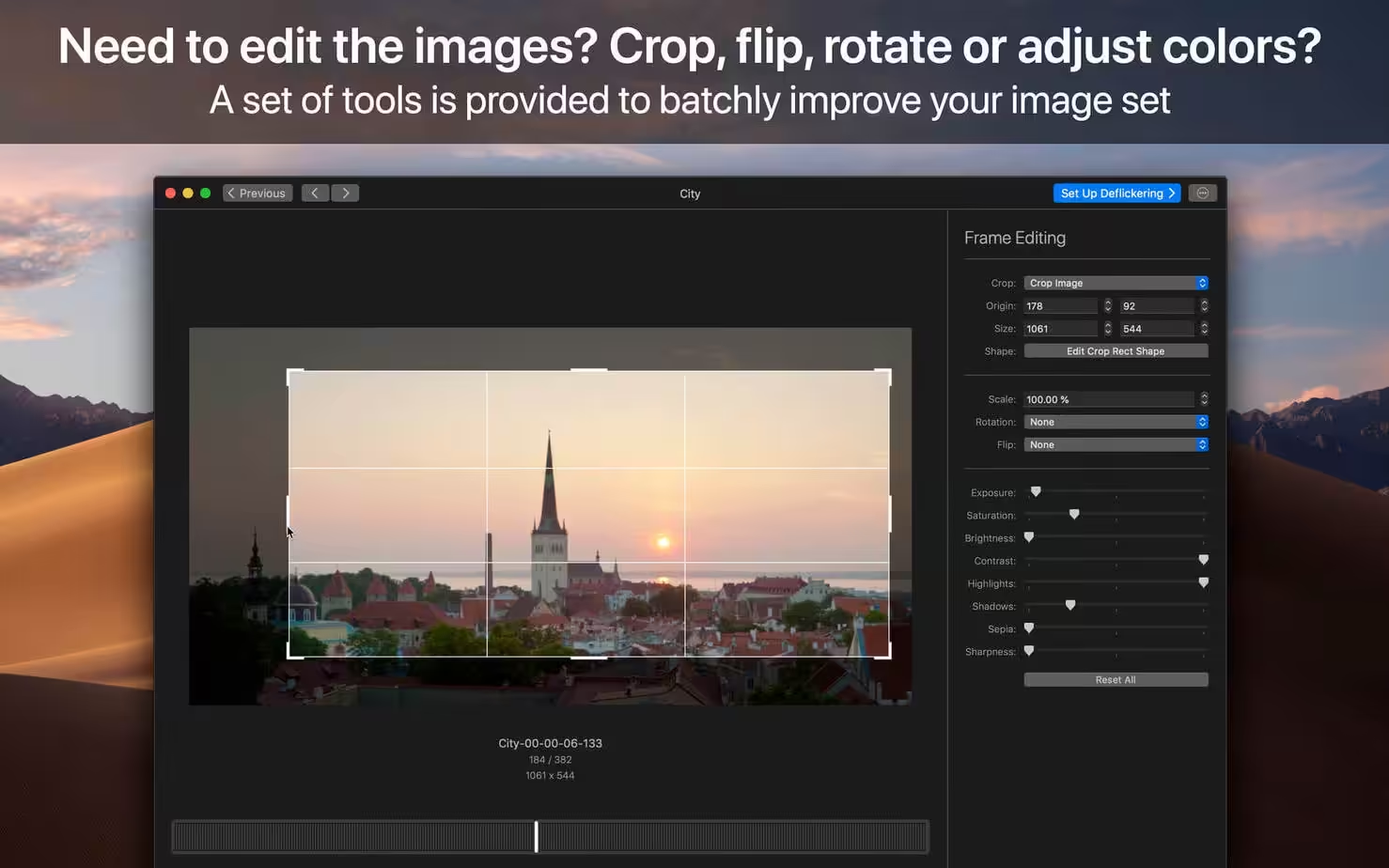
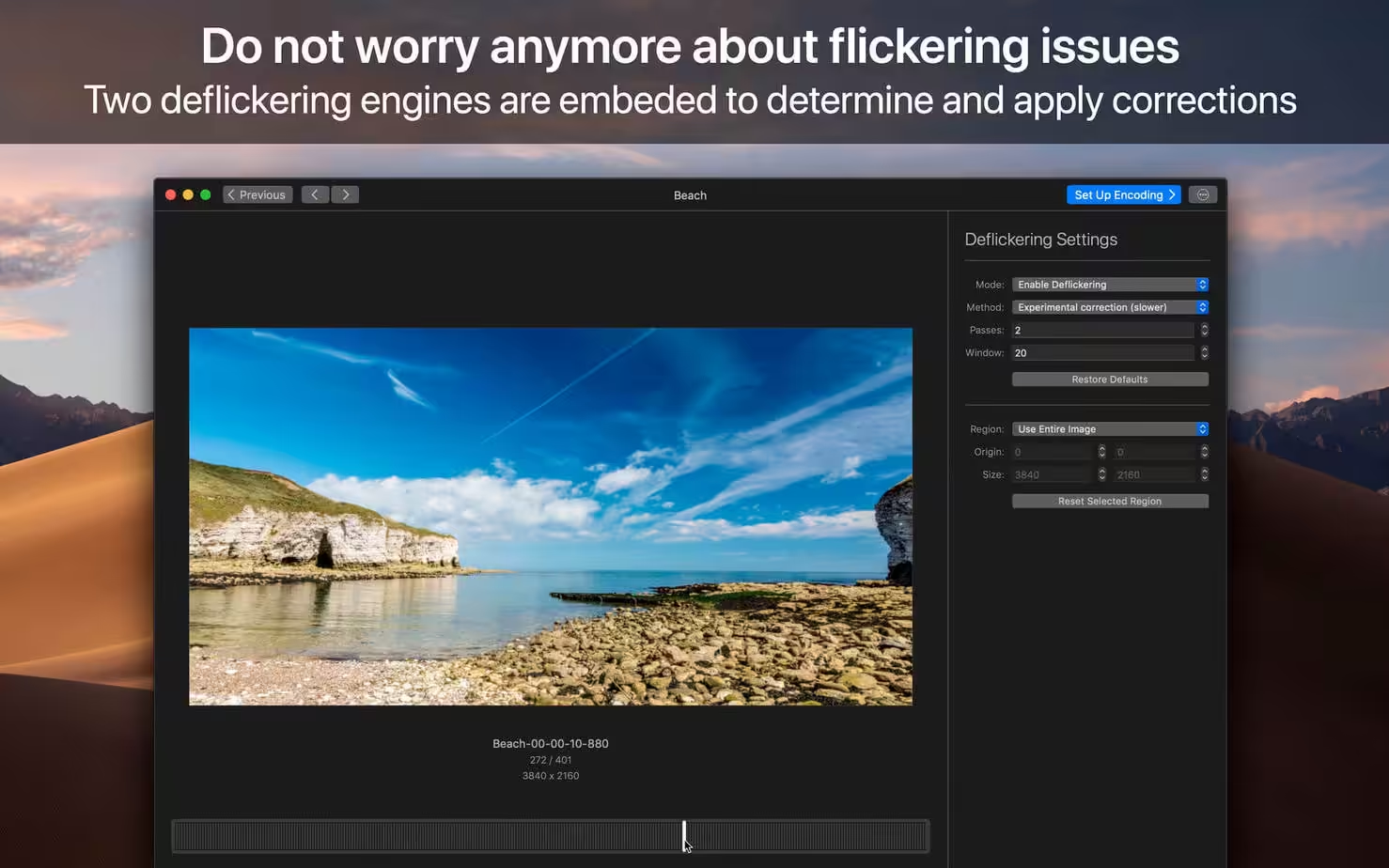
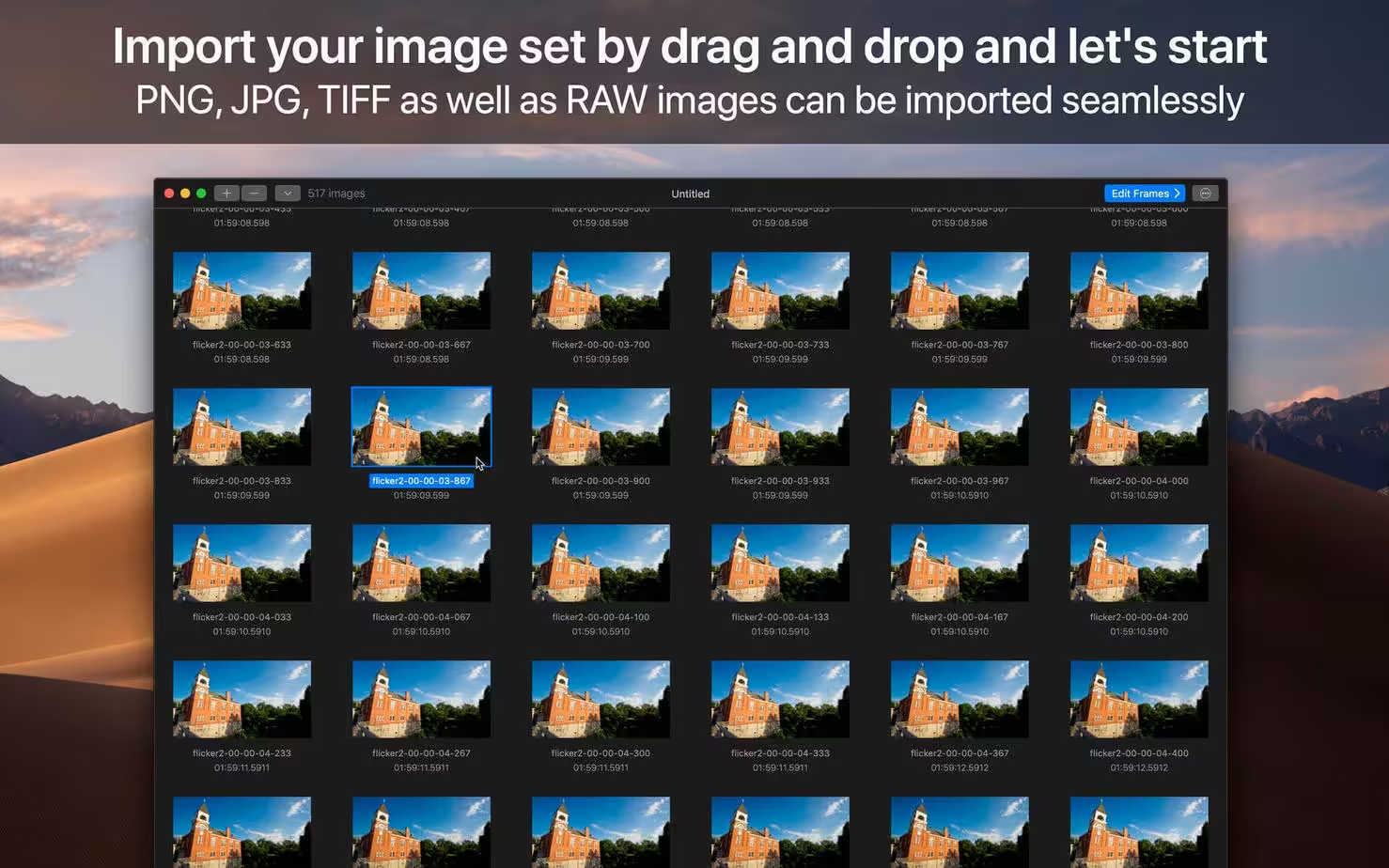
GlueMotion is the perfect tool for time-lapse photographers. The application allows you to batch edit, deflicker, and assemble sequences of images into time-lapse movies. GlueMotion has been made to save you time and guide you during the process of creation. By using the included batch editing tool, you will not have to use additional applications.
Features
The application is designed for professional needs. That is why it can handle several hundreds of thousands of images painlessly. In addition, all industry-standard formats are supported. The application can import PNG, JPEG as well as all RAW image formats supported by macOS. The exported movie can be encoded in H.264, Apple ProRes as well as HEVC.
This version has been optimized for macOS High Sierra and later. Moreover, the application is available in 7 languages (English, French, German, Spanish, Italian, Japanese, and Chinese). Feedback can be sent directly from the application. In this way, you can contact us for any suggestions and improvements in few clicks.
What's New
November 10, 2026- macOS Big Sur: The interface has been updated for compatibility with macOS Big Sur.
- macOS Universal app: The app now runs natively on both Apple Silicon and Intel-based Mac computers.
- New App Icon: The app icon has been updated to be in harmony with macOS Big Sur.
- Bugs fixed: This update fixes a lot of minor issues.
Recent posts
See all ›
Compress Any Video PRO
v2.1 · Updated Nov 24, 2026

GraphicConverter 11.6.1 (5487)
v11.6.1.5487 · Updated Nov 24, 2026

Adobe Acrobat DC Pro 2022.001.20112
v2022.001.20112 · Updated Nov 24, 2026

Maxon Cinema 4D R26.
v013 · Updated Nov 24, 2026

Luminar Neo 1.0.5 (11374)
v1.0.5.11374 · Updated Nov 24, 2026

Sip 4.0.0
Updated Nov 24, 2026
Version history
Oct 17, 2026 · 13.4 MB
More apps for you
See all Application ›





Ratings & Reviews
(1 rating)Reportar Enlace Caído
GlueMotion · v2.3.0
¡Reporte Enviado con Éxito!
Hemos notificado al equipo técnico. Revisaremos el enlace y lo actualizaremos a la mayor brevedad.