Screenshots
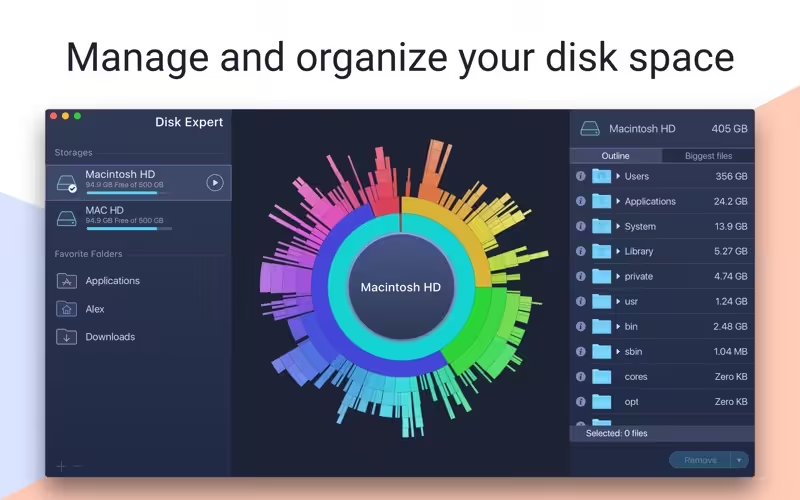
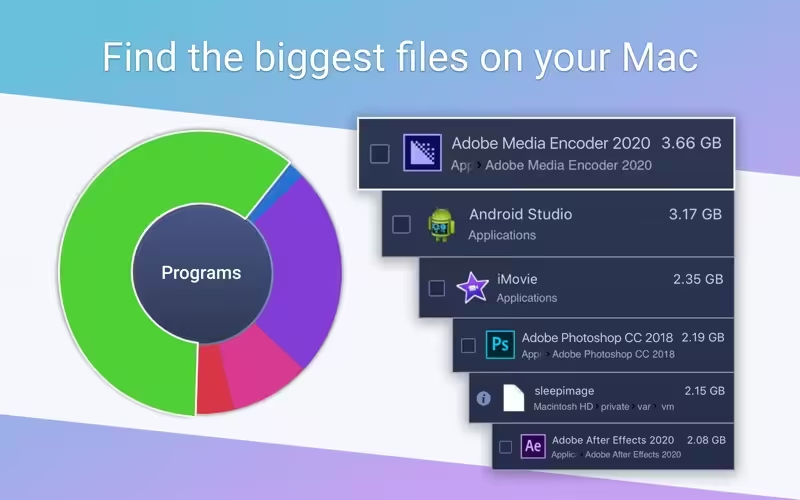
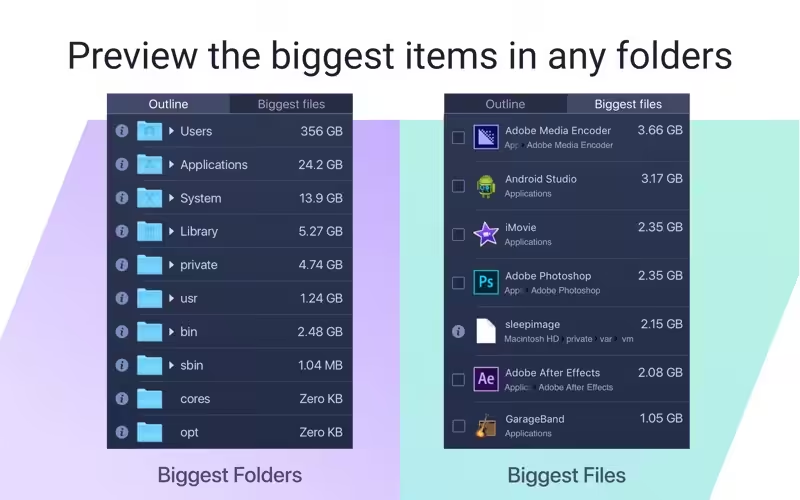
Disk Expert finds the biggest files and folders on your Mac. It scans your hard drive volumes and visually displays the disk space usage and makes a list of the bulkiest content. It allows you to locate unneeded files and folders quickly using Mac OS X system tools. You can look for a file using the Finder tab and preview the file using QuickLook.
Features
How to free up disk space:
- Scan your drive.
- Detect the biggest files and folders.
- Operate and organize the rarely used files and folders.
The application is a great disk space analyzer for Mac OS X and macOS systems. It displays a drive usage map with a convenient sunburst chart, so you can easily find out what is taking up your Hard Drive space, and free up significant space in just minutes.
Benefits of this utility:
- Get your disk usage map
- Easily view available disk space on your hard drive
- Find which files and folders take up the most space
- Discover files that are rarely used
- Scan Dropbox for unnecessary files
- Get rid of files you don’t need
- Keep your hard drive clean and organized
- Clear Startup Disk in minutes
When your Mac startup disk is full, you can easily organize your data by gathering files and folders into a collection, enabling you to rapidly move them to another place, or even to delete them.
The disk visualizer supports all Mac disk volumes:
- HDD volumes
- CD and DVD discs
- Removable USB drives
- Mounted DMG
- SMB disk image
Use this hard drive cleaner to find the biggest files and folders on your Mac and provide a list of items cluttering your disk. You can look for a file using the Finder tab and preview the file using the QuickLook option.
Best Features:
- Fast scanning algorithm
- Animated scanning process
- Support of all volume types
- Support of scanning custom folders and disks
- Visual presentation of disk space usage as a sunburst diagram
- Display of biggest items on disks
- Display of file directory
- QuickLook preview
- Easy access in the Finder option
This utility creates a visualization of your Mac disk usage so that you can save time in finding files and folders cluttering your hard drive space.
NOTE: If you have any comments, issues, or suggestions, please contact us directly at [email protected]. We will respond within one business day.
What's New
November 20, 2026- Updated user interface
- Updated disk space usage chart
- Added ability to drag and drop custom folders to scan and find the biggest files
- Added ability to drag and drop unneeded files to Trash
- The new icons for mounted Mac disks and folders were added
Recent posts
See all ›
Nevercenter CameraBag Pro
v2022 · Updated Nov 24, 2026

GraphicConverter 11.6.1 (5483)
v11.6.1.5483 · Updated Nov 24, 2026

GraphicConverter 11.6.1 (5482)
v11.6.1.5482 · Updated Nov 24, 2026

GraphicConverter 11.6.1 (5481)
v11.6.1.5481 · Updated Nov 24, 2026

Adobe After Effects 2022 v22.1.1
v2022.22.1.1 · Updated Nov 24, 2026

Noir – Dark Mode for Safari 2026.2.4
v2026.2.4 · Updated Nov 24, 2026
Version history
Oct 19, 2026 · 12.7 MB
More apps for you
See all System Utilities ›





Ratings & Reviews
(1 rating)Reportar Enlace Caído
Disk Expert Pro · v4.2
¡Reporte Enviado con Éxito!
Hemos notificado al equipo técnico. Revisaremos el enlace y lo actualizaremos a la mayor brevedad.