Screenshots
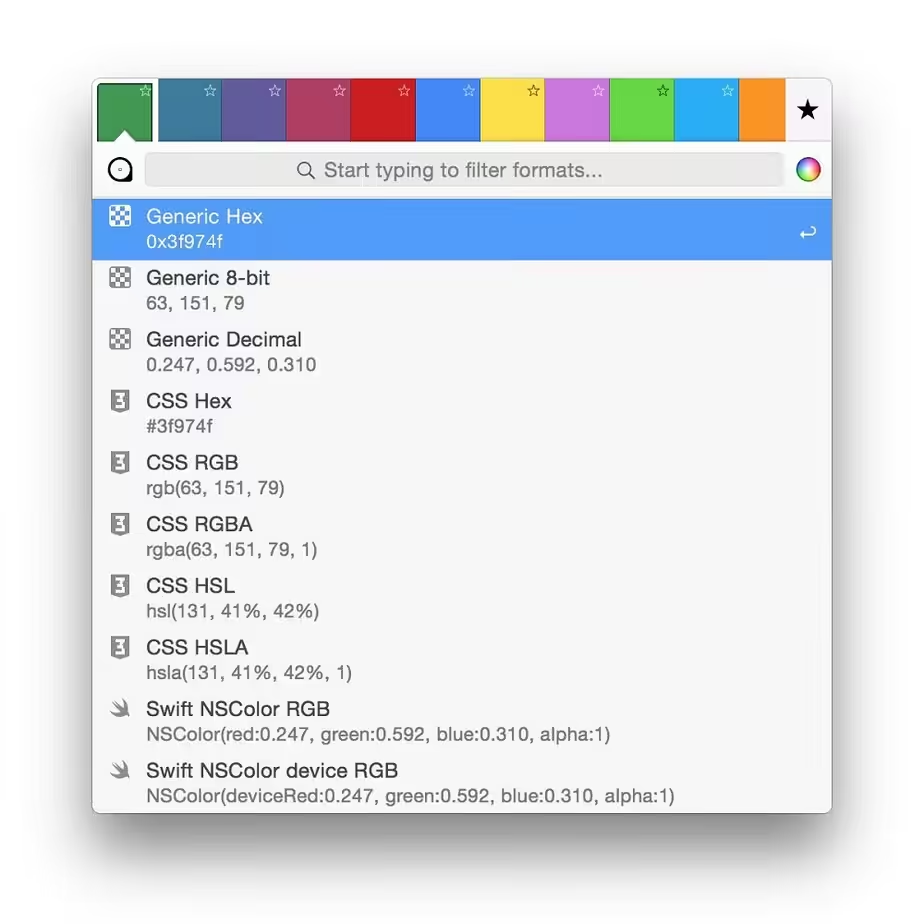
ColorSnapper2 is the OS X color picker app for designers and developers that makes it easy to collect, adjust, organize, and export colors of any pixel on the screen. It is activated via a system-wide hotkey, giving you a magnifying glass to easily pick any pixel you need, even from Retina displays. The resulting color is copied to the clipboard in a format of your preference.
Features
- New Magnifying Glass — the original ColorSnapper magnifying glass — introduced in 2010 and adopted by every modern color picker app since then — just got even better! It works perfectly with multiple displays, different resolutions, and different pixel density. You can switch between Spaces and Applications having the magnifying glass on the screen while controlling it with gestures and keyboard shortcuts.
- New Hi-Precision Mode allows you to choose every physical pixel on a retina screen but also works great on displays with normal pixel density by increasing mouse sensitivity and magnification level.
- Export to Adobe® Photoshop® & Illustrator® — set foreground and background color in your favorite designer tool directly from ColorSnapper.
- Capture loupe image — new magnifying glass can be used as a review tool. Pressing P will copy the zoomed image to the clipboard.
- Favorites & History — with ColorSnapper2 you can now organize, adjust & export colors without leaving the application. Add colors you regularly pick to the favorites or go back in time to hundreds of colors.
- Adjust colors — new user interface seamlessly integrates with Apple’s Color Panel so you can adjust colors before you export them.
- Quick formats filter — just start typing to quickly search through more than 30 export formats.
- Automatic color profile conversion — converts colors picked from native macOS applications, including Safari and Xcode from the monitor’s color profile to sRGB. This means you’ll get the same RGB values as those used in your code.
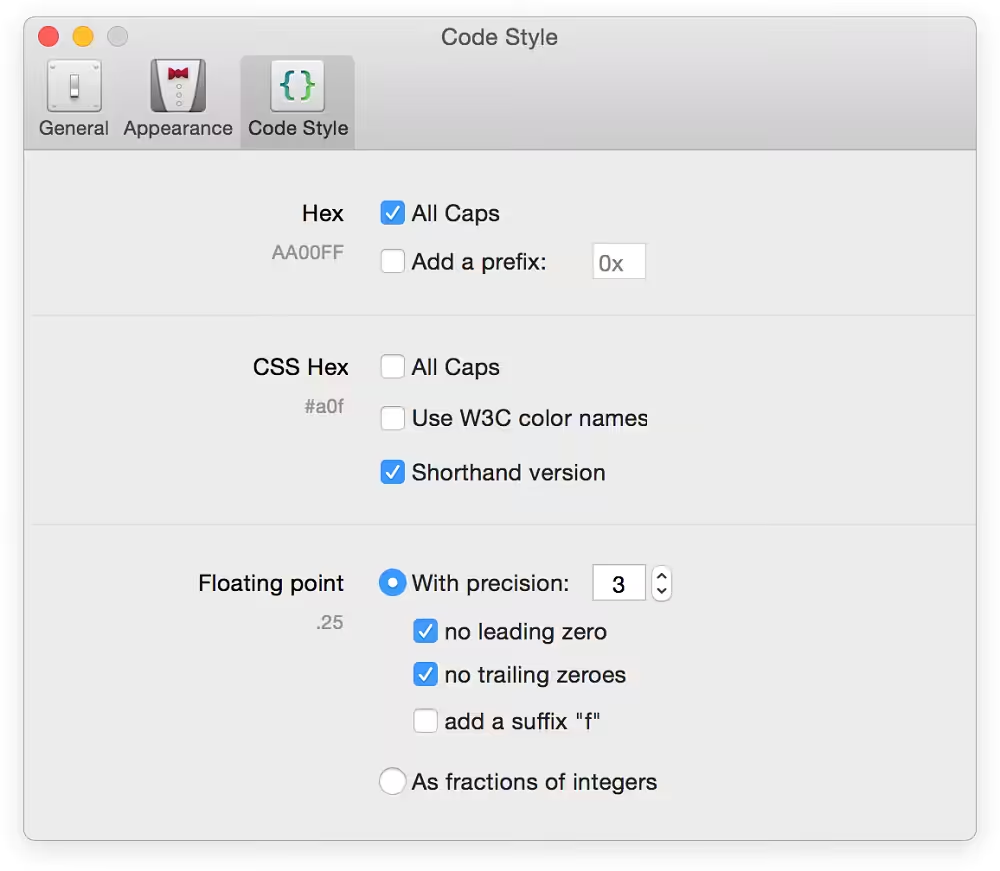
- Code style — use flexible color values formatters to match your coding style. Along with all-new supported formats, including CSS3, NSColor & UIColor, Swift, Android, Java, .NET, and many more, this results in an even faster developer workflow.
What's New
November 5, 2026- Bugfix: Automatic color conversion on macOS 10.13
Recent posts
See all ›
Compress Any Video PRO
v2.1 · Updated Nov 24, 2026

GraphicConverter 11.6.1 (5487)
v11.6.1.5487 · Updated Nov 24, 2026

Adobe Acrobat DC Pro 2022.001.20112
v2022.001.20112 · Updated Nov 24, 2026

Maxon Cinema 4D R26.
v013 · Updated Nov 24, 2026

Luminar Neo 1.0.5 (11374)
v1.0.5.11374 · Updated Nov 24, 2026

Sip 4.0.0
Updated Nov 24, 2026
Version history
Oct 16, 2026 · 7.3 MB
More apps for you
See all Developer Tools ›


Ratings & Reviews
(1 rating)Reportar Enlace Caído
ColorSnapper 2 · v1.7.1
¡Reporte Enviado con Éxito!
Hemos notificado al equipo técnico. Revisaremos el enlace y lo actualizaremos a la mayor brevedad.