
Screenshots
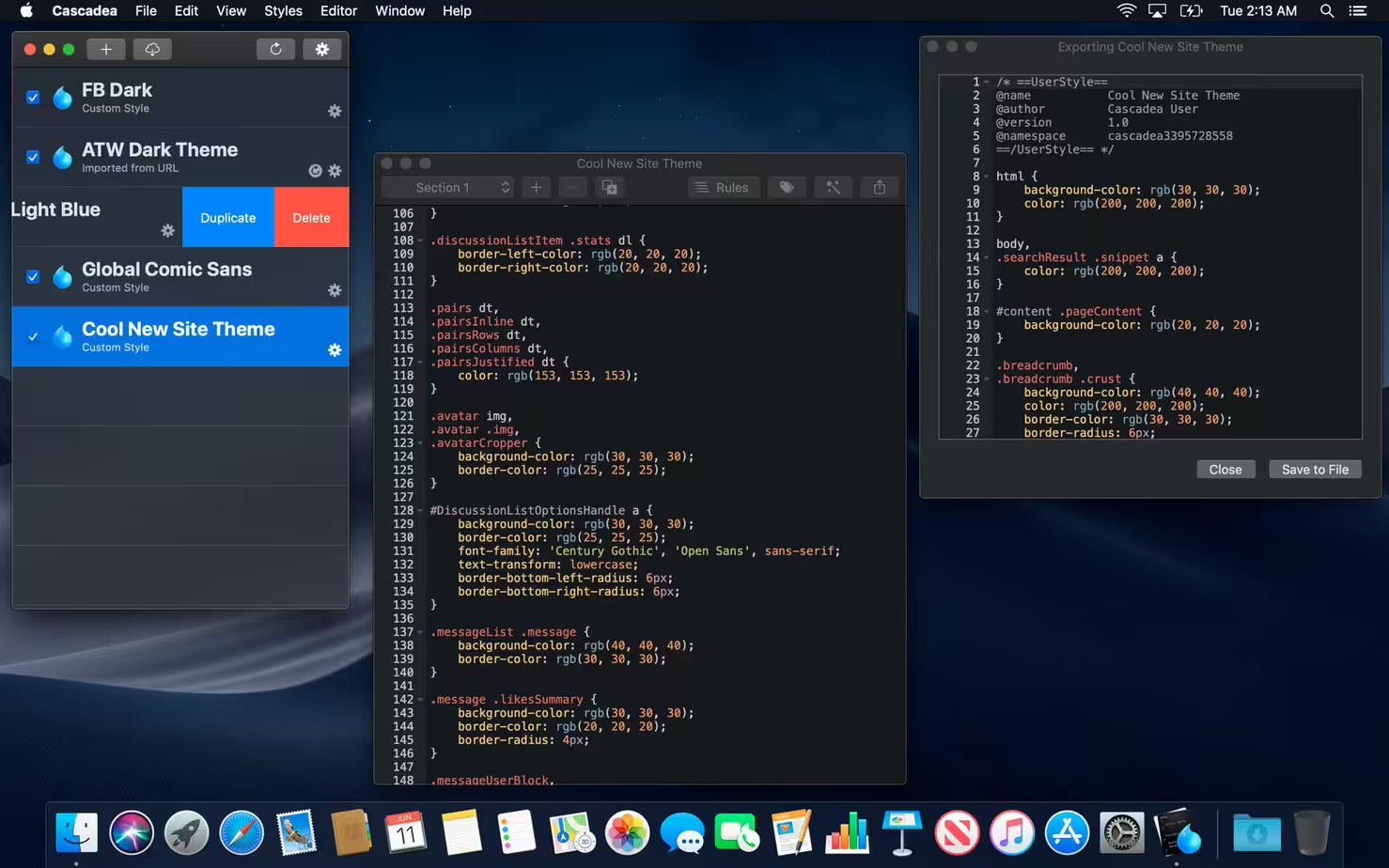
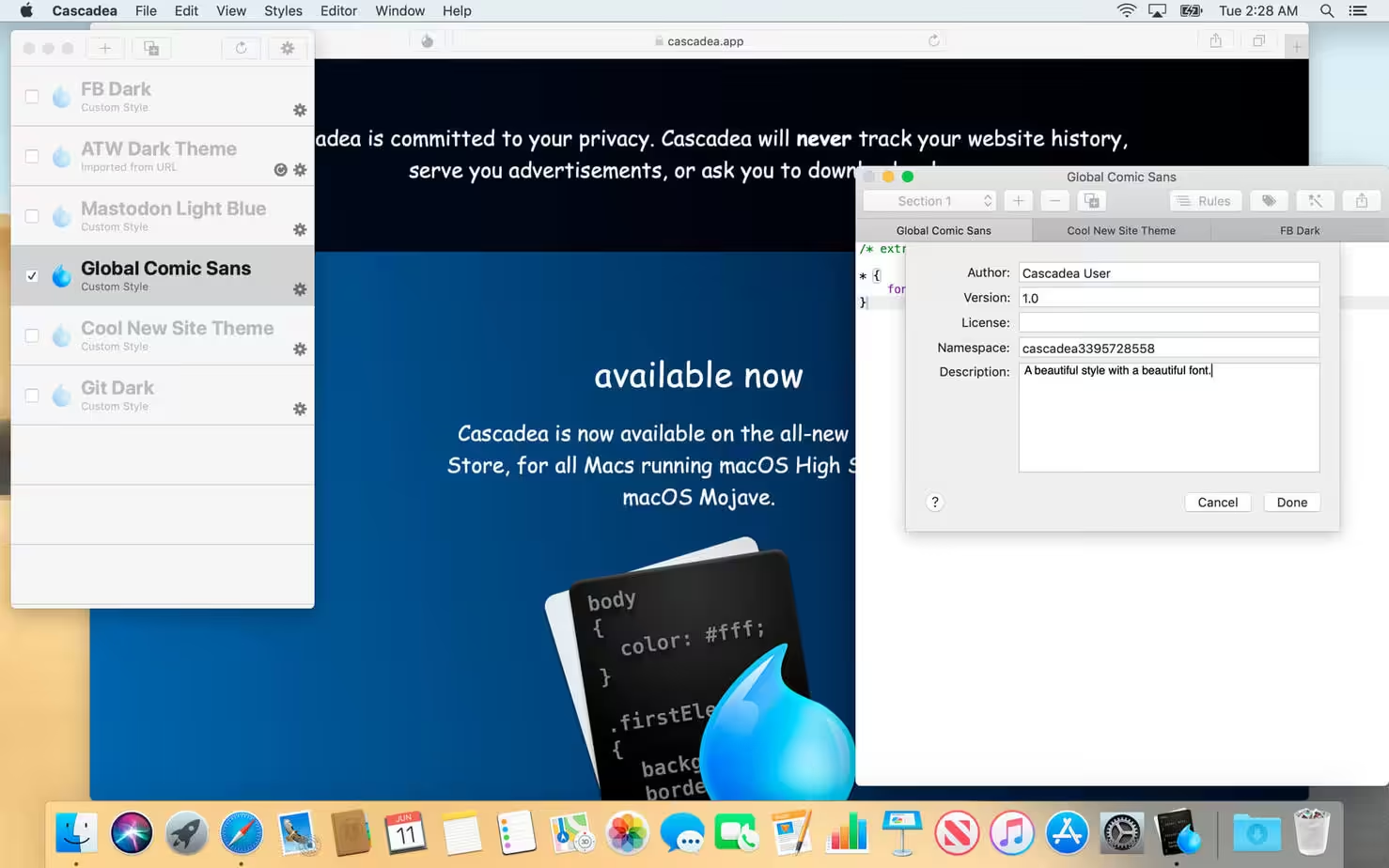
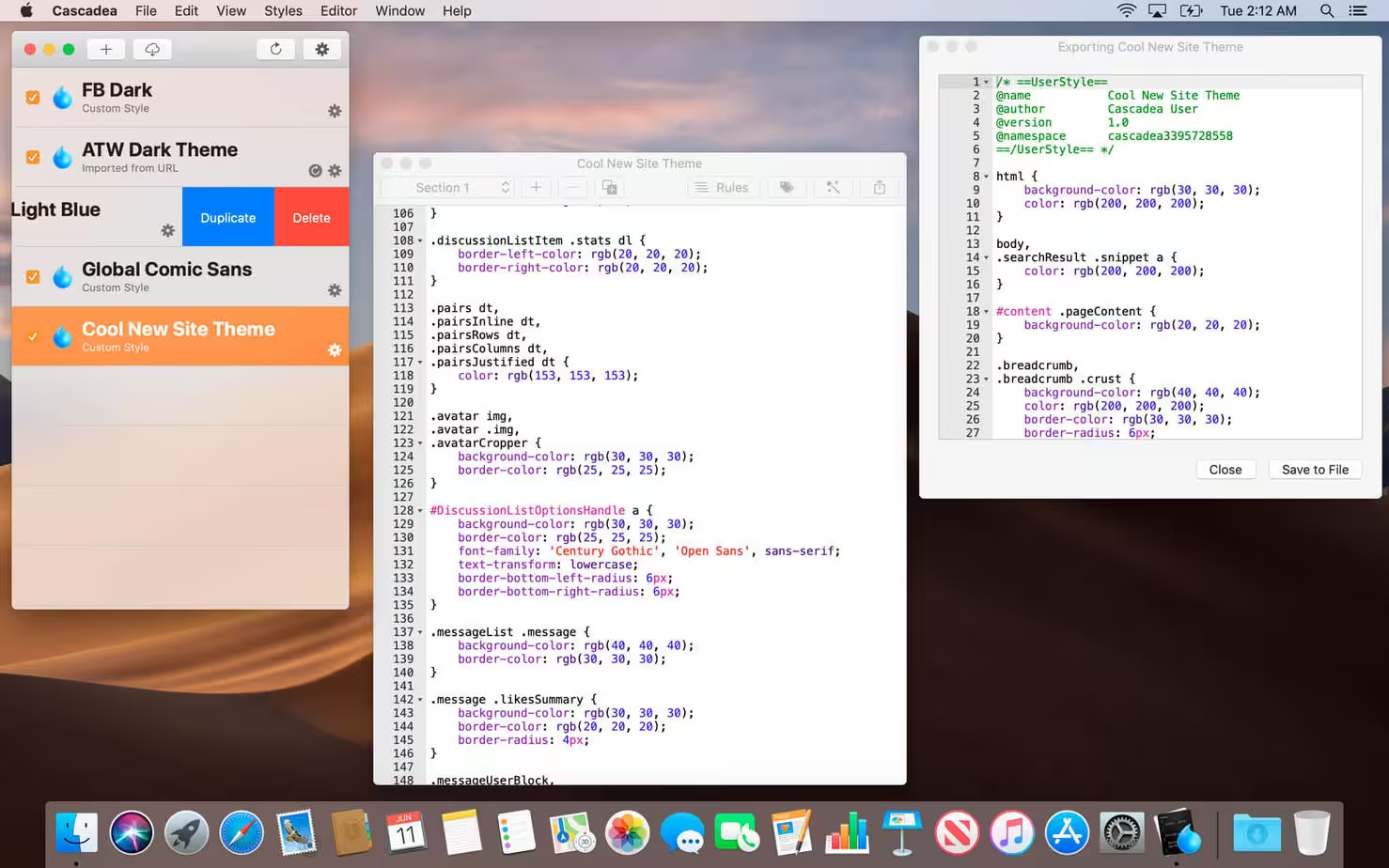
Introducing Cascadea, the first custom style manager designed as a Safari App Extension and native macOS app. Cascadea makes it easy to install custom styles that change the look and feel of any website you want. Whether you want your social media feed to burst with color, or to give your eyes a break with a darker style, Cascadea gives you the freedom to paint the web in your colors.
Features
It’s super easy to install styles – just go to a compatible style in Safari, and you’ll see an option to install it in Cascadea. Cascadea supports popular custom-style websites, styles written in the UserCSS format, or even plain CSS files. Once installed, Cascadea’s fast native UI lets you quickly and easily configure settings for each style, change the order in which they apply, keep them up to date, and more.
Cascadea is also a super-powerful tool for CSS developers, both for writing new custom styles or even as part of a web development workflow. Cascadea has a fully-featured Style Editor for writing CSS as well as the Stylus and Less preprocessor languages, including autocompletion, syntax highlighting, automatic indentation, code folding, beautification, multi-cursor support, multiple color themes and font options, and more. Open multiple styles in tabs, configure rules for precisely which sites to apply a style, and watch Safari update to reflect your changes each time you save your CSS. Or, if you prefer your own code editor, you can easily import a CSS file into and out of Cascadea.
Other features include:- Sync your styles and preferences seamlessly across multiple Macs with iCloud.
- Tie styles to your macOS system appearance – have your Dark Mode styles when you want them, and automatically turn them off when you don’t.
- Configure variables in compatible UserCSS-format styles.
- Write and install styles written in either standard CSS, or in the preprocessor languages Stylus and Less.
- Easily import and export your entire style database from Preferences.
- See which styles are active on a page right from Cascadea’s toolbar icon in Safari, and double-click to open a style right in the Style Editor.
- Have Cascadea automatically update your imported styles on launch.
- Exclude specific sites from a style to prevent conflicts or override a global style.
- Native support for Macs with Apple silicon (such as Apple’s M1).
- Support for the Touch Bar on MacBook Pro.
- No user tracking – period. Cascadea collects no data, outside of opt-in anonymous crash reports provided by Apple.
What's New
October 20, 2026- Added support for using `-rgb`-suffixed color variables in styles using the USO preprocessor.
Recent posts
See all ›





Version history
Oct 20, 2026 · 20.5 MB
More apps for you
See all System Utilities ›





Ratings & Reviews
(1 rating)Reportar Enlace Caído
Cascadea · v2.1.3
¡Reporte Enviado con Éxito!
Hemos notificado al equipo técnico. Revisaremos el enlace y lo actualizaremos a la mayor brevedad.